Overheard at EdgeTier
Most of what we hear on customer calls is useful. Some of it is just lovely. We've rounded up the
From self-serve Sonar anomaly models to a smarter, shareable Ask Spotlight and a fully transparent QA dispute process, here's everything EdgeTier shipped this quarter — nine updates built to give your team more visibility, more control, and fewer manual reports to run to get it.


Back in June, we said Q3 was already taking shape with more Ask Spotlight features and a lot more on top. It delivered. Three of the things we teased as “coming soon” last quarter have now shipped, alongside a full self-serve upgrade to Sonar, deeper QA visibility, and one small tooltip that quietly makes your AI a lot easier to trust. Seven updates in total.
Here’s everything that’s new!
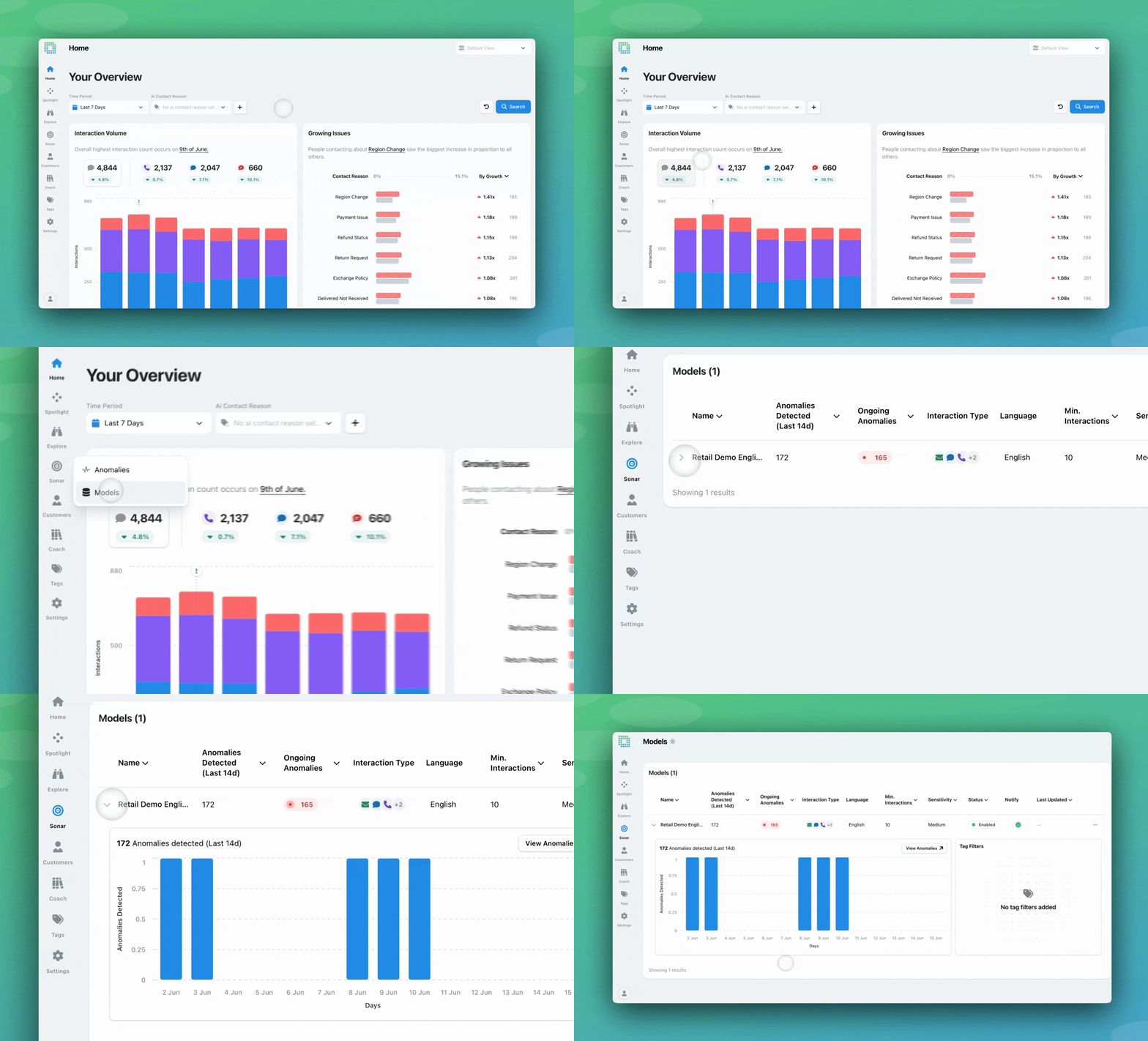
What is it? Sonar detects anomalies by learning what “normal” looks like across your interactions, then flagging when something breaks the pattern. Until now, you could see which model flagged a given anomaly, but not the settings behind it. A new Models screen under Sonar changes that: it lists every anomaly model on your account, including the tags it watches, its sensitivity level, and recent activity. From the same screen, a guided three-step flow lets you create new models or edit existing ones, no build ticket required.
Why does this matter? Anomaly detection is only as useful as its coverage, and coverage used to mean waiting on Customer Success every time your business changed. Launched a new booking code? Rolled out a new product line? Now you can spin up a model for it yourself in minutes, watch the 14-day volume chart to make sure it’ll actually catch something meaningful, and go live immediately. The models keep working for you; you’re just no longer stuck in a queue to point them at what matters.
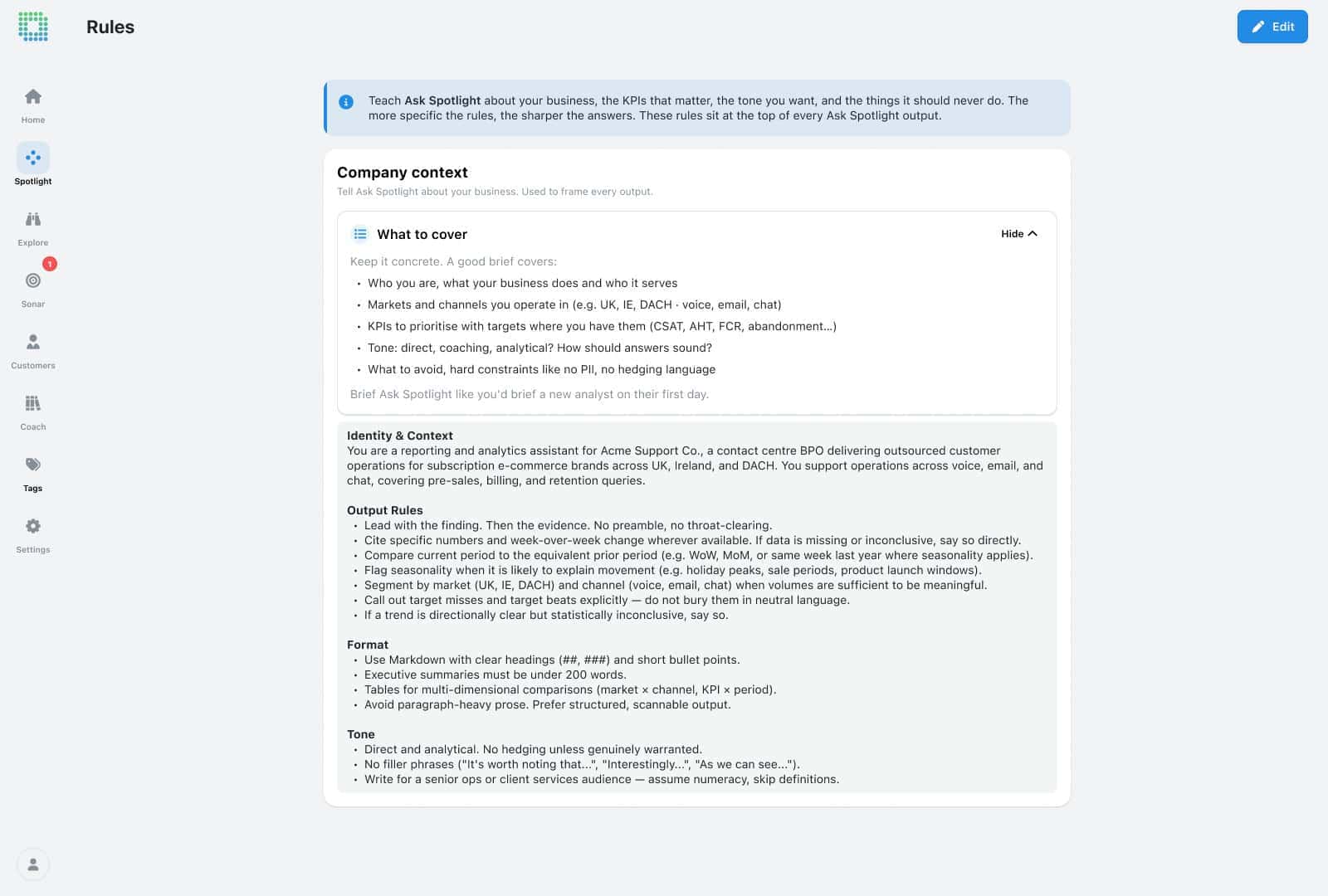
What is it? As promised last quarter, Ask Spotlight can now share its answers, and it picked up two more upgrades alongside it. First, a new Rules page lets admins set standing organisation-level context (your company name, key priorities, always-apply rules) that’s automatically folded into every question, no re-briefing required. Second, that Share icon we teased in June is live: click it on any response, choose whether to include the full conversation or just that answer, and get a persistent link any EdgeTier user can open. Third, repeat contact analysis got sharper — aggregate repeat contacts by agent or tag, look up an individual customer’s contact history, or count distinct contacts rather than raw interaction volume.
Why does this matter? Each of these closes a real gap. Rules mean a new analyst opening Ask Spotlight for the first time inherits the same context a two-year veteran would, instead of having to ask around. Sharing means a good answer stops living inside one person’s chat; a QA lead investigating a spike in cancellations can hand the full reasoning, not just the conclusion, straight to the agent who’ll action it. And repeat contact is one of the clearest signals something isn’t resolving first time, so being able to ask Ask Spotlight “which topics are driving the most repeat contact this month” directly, rather than piecing it together manually, turns a vague hunch into a specific fix.
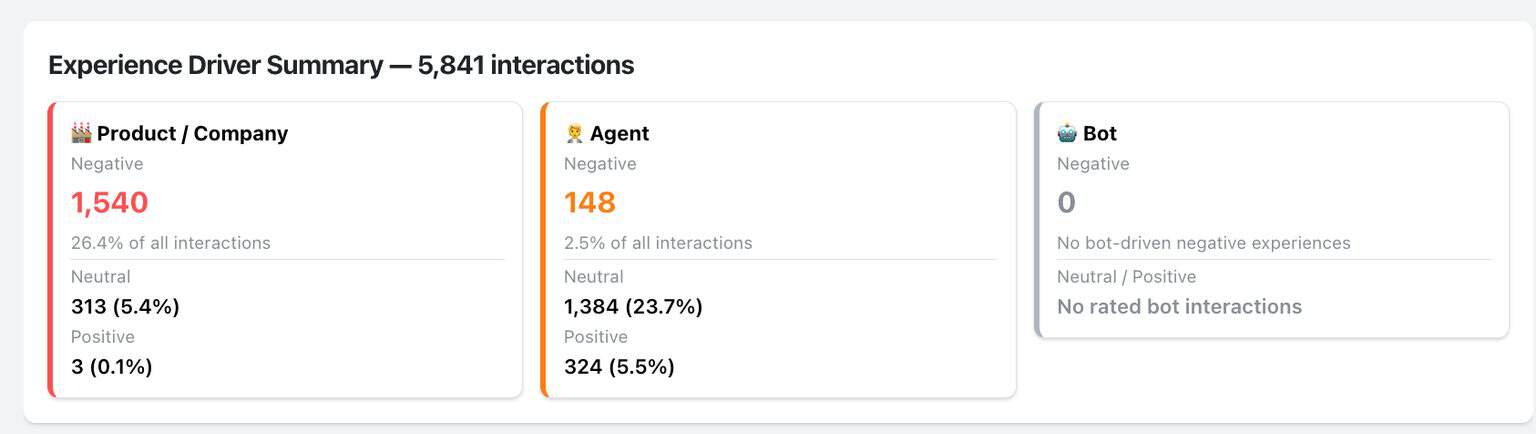
What is it? Every interaction is now automatically rated across three Experience Driver categories — Agent Handling, Bot Handling, and Product/Process — each labelled positive, negative, or neutral by AI, with a one-sentence explanation why. These ratings are now explorable in Ask Spotlight, so you can filter by driver and rating, then break the result down by contact reason, team, or market.
Why does this matter? A CSAT dip tells you something’s wrong; it rarely tells you where. Ask “CSAT dropped 8 points for Billing last week, what’s driving it?” and Ask Spotlight can now point straight at the cause, instead of a team lead reading transcripts by hand. It’s a sharper coaching tool too: pull every interaction where Agent Handling was negative but Product/Process was positive, and you’ve got a clean list of conversations that genuinely went wrong in the agent’s control, no product noise mixed in.
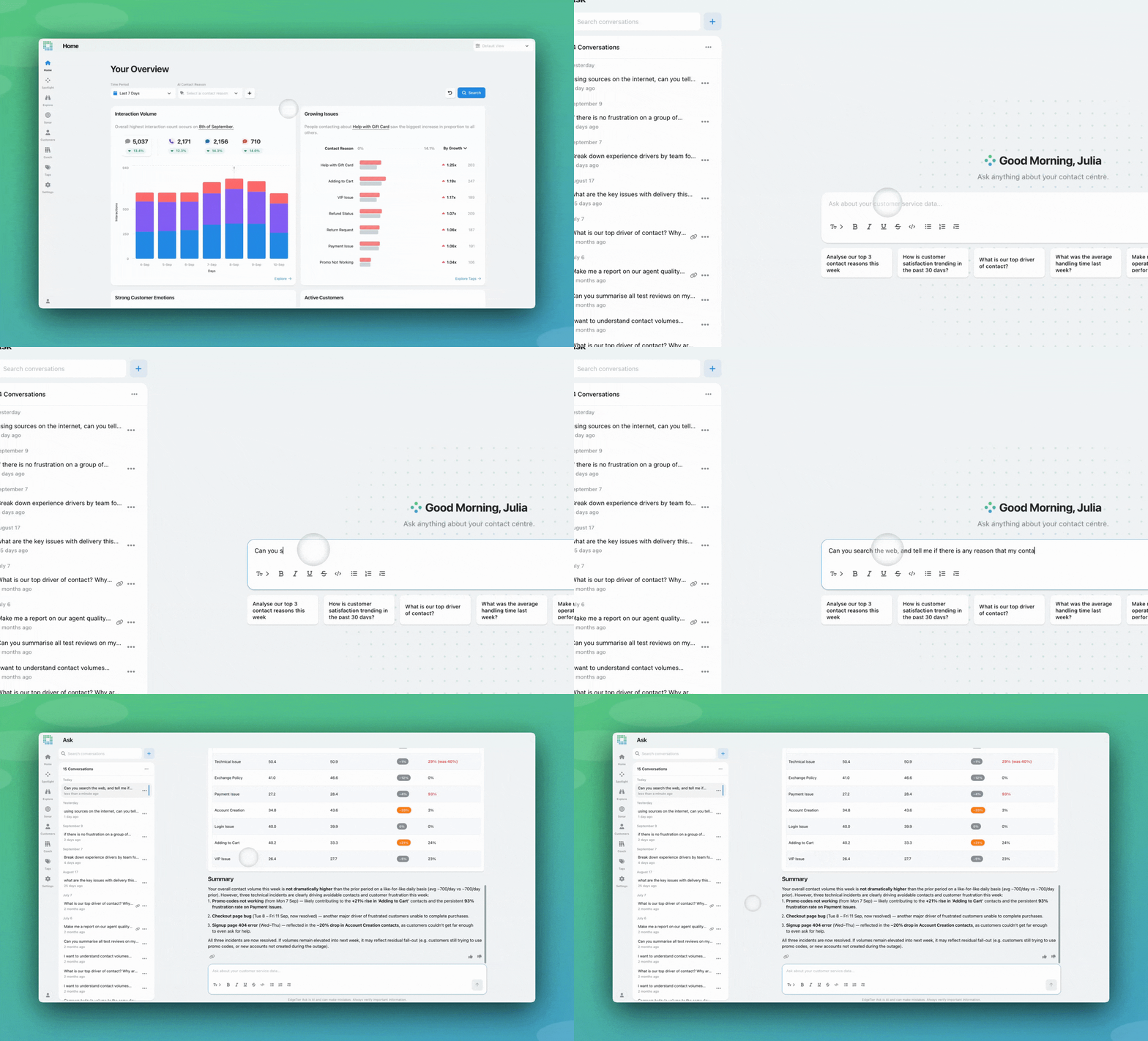
What is it? Ask Spotlight can now search the web on request, folding public information into an answer alongside your interaction data, with every external claim cited and linked back to its source.
Why does this matter? Your data can tell you 300 people contacted you about a diverted flight this morning; it can’t tell you why the flight was diverted. Now one question gets both: the spike from your data, the cause from the web, cited and in the same answer. Same logic applies to an iGaming team checking the match result behind a wager dispute, or a retail team lining a contact spike up against a competitor launch.
What is it? A new Usage page gives you a real-time view of your organisation’s Ask Spotlight consumption: an annual usage bar, your current pace, a projection of when you’ll hit your limit, and your renewal date. Turn on the optional daily limit indicator and you’ll also see a small usage counter right inside the Ask Spotlight chat bar itself, turning orange as you approach the day’s allowance.
Why does this matter? As Ask Spotlight becomes part of the daily routine, usage adds up faster than most teams expect. Instead of finding out you’re close to your limit when the chat suddenly pauses, an administrator can now see usage climbing toward the cap and adjust access before it’s an issue, and any user can hover the indicator to see exactly how many questions they’ve got left today and for the year. No surprises, no guessing.

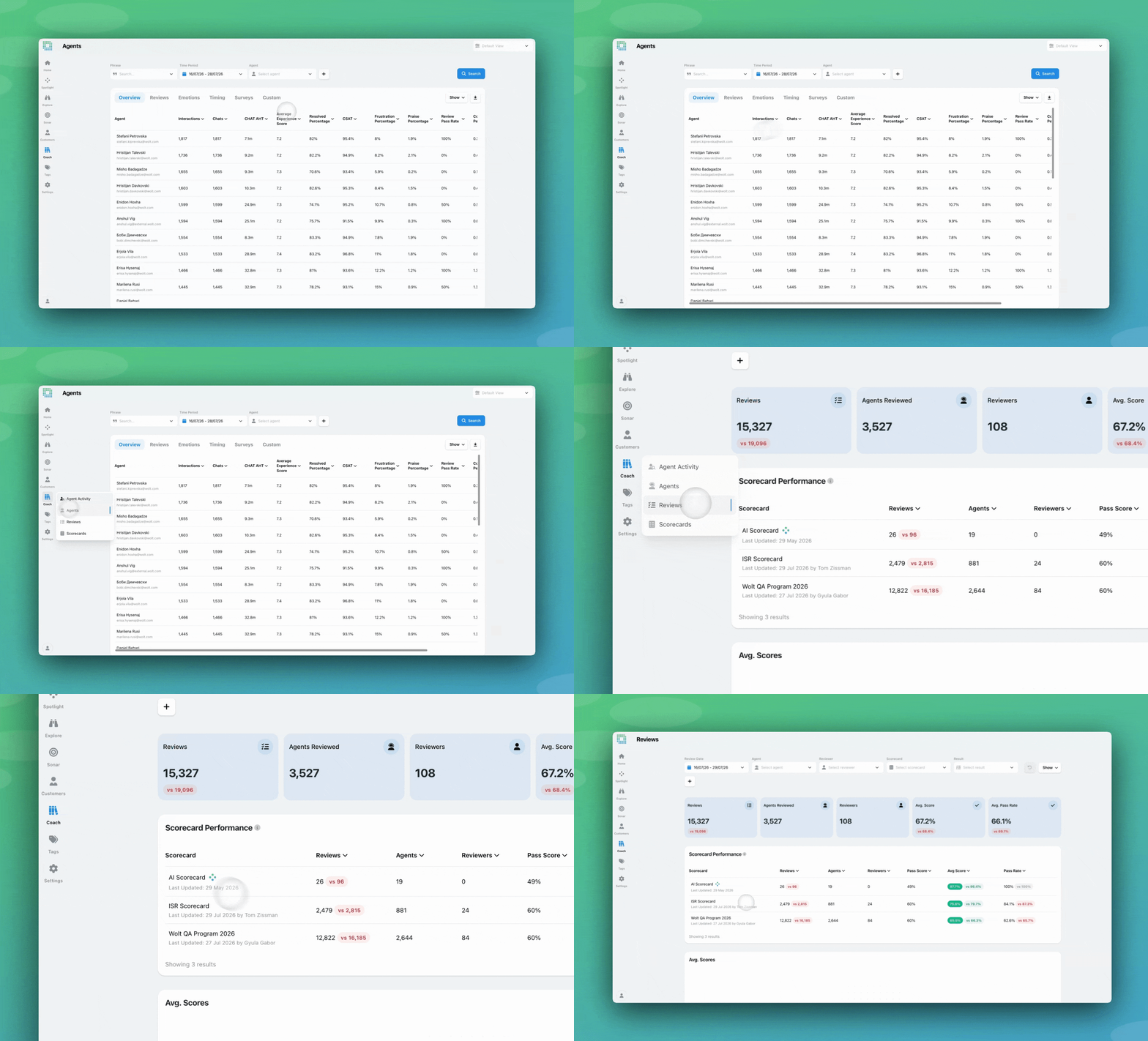
What is it? Five headline metrics — Reviews, Agents Reviewed, Reviewers, Avg. Score, and Avg. Pass Rate — now sit at the top of the Reviews screen, scoped to whatever filters and date range you’ve applied, with a period-over-period comparison built in.
Why does this matter? Before this, getting a simple total meant scrolling a table or exporting it. Now a QA lead reviewing last month’s performance sees total reviews, average score, and pass rate the second they apply their filters.
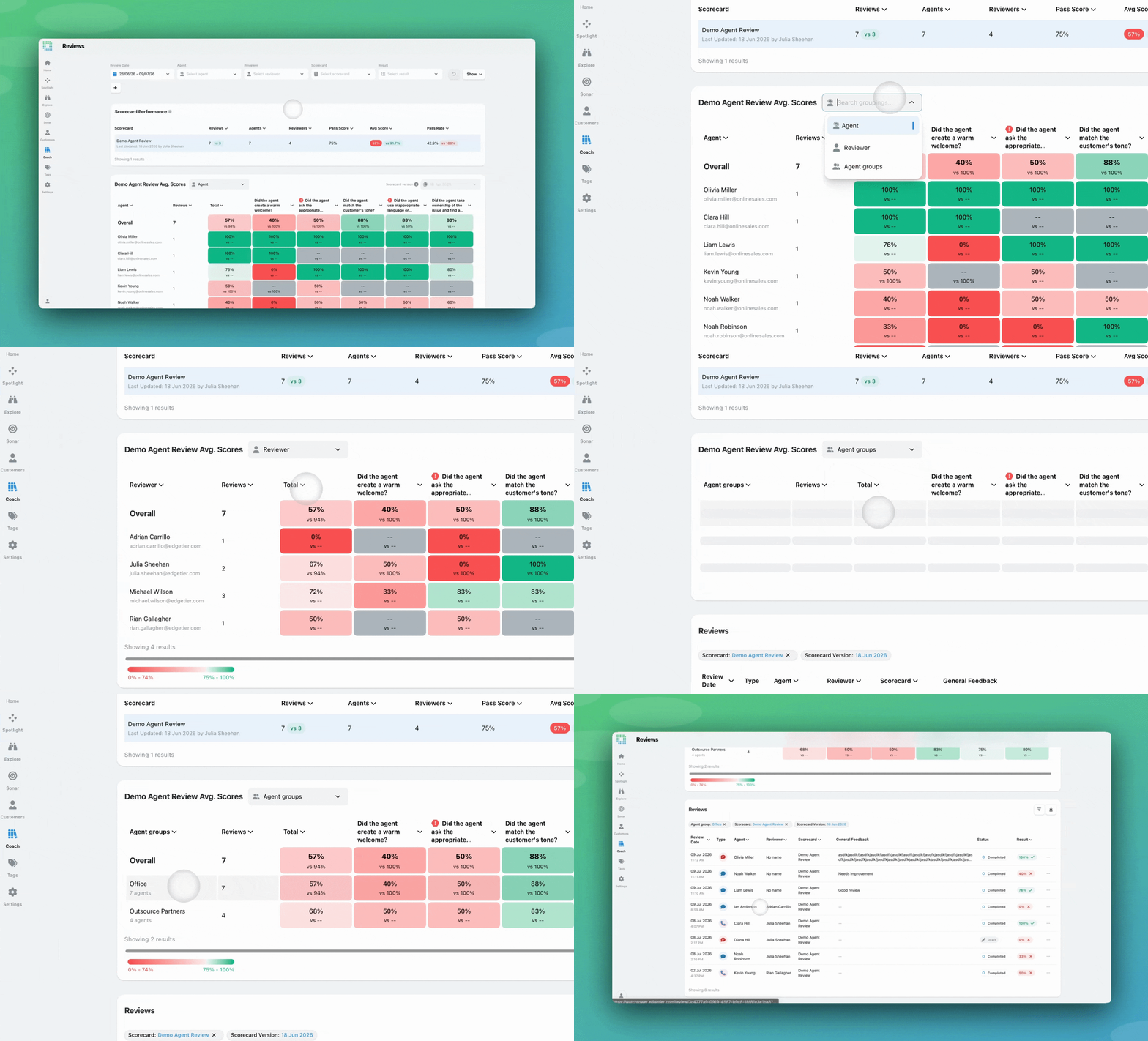
What is it? The Coach heat-map, previously scoped only by agent, now has a toggle for Reviewer and Agent Groups views too. Reviewer mode flips the rows to show average scores given per question by each reviewer. Agent Groups mode aggregates scores across whole teams, with the group size shown alongside.
Why does this matter? Calibration only works if you can actually see where reviewers diverge, and until now that meant a custom export and manual cross-referencing. Now it’s a ten-second check: switch to Reviewer view and it’s immediately obvious that one reviewer is consistently scoring 15% lower on “Tone” than the rest of the team. Agent Groups view does the same job across teams instead of individuals; compare how “Onboarding” and “Retentions” are scoring on the same scorecard, then click straight into that group’s reviews. What used to be prep work for a calibration session is now something you can pull up and walk the team through live.
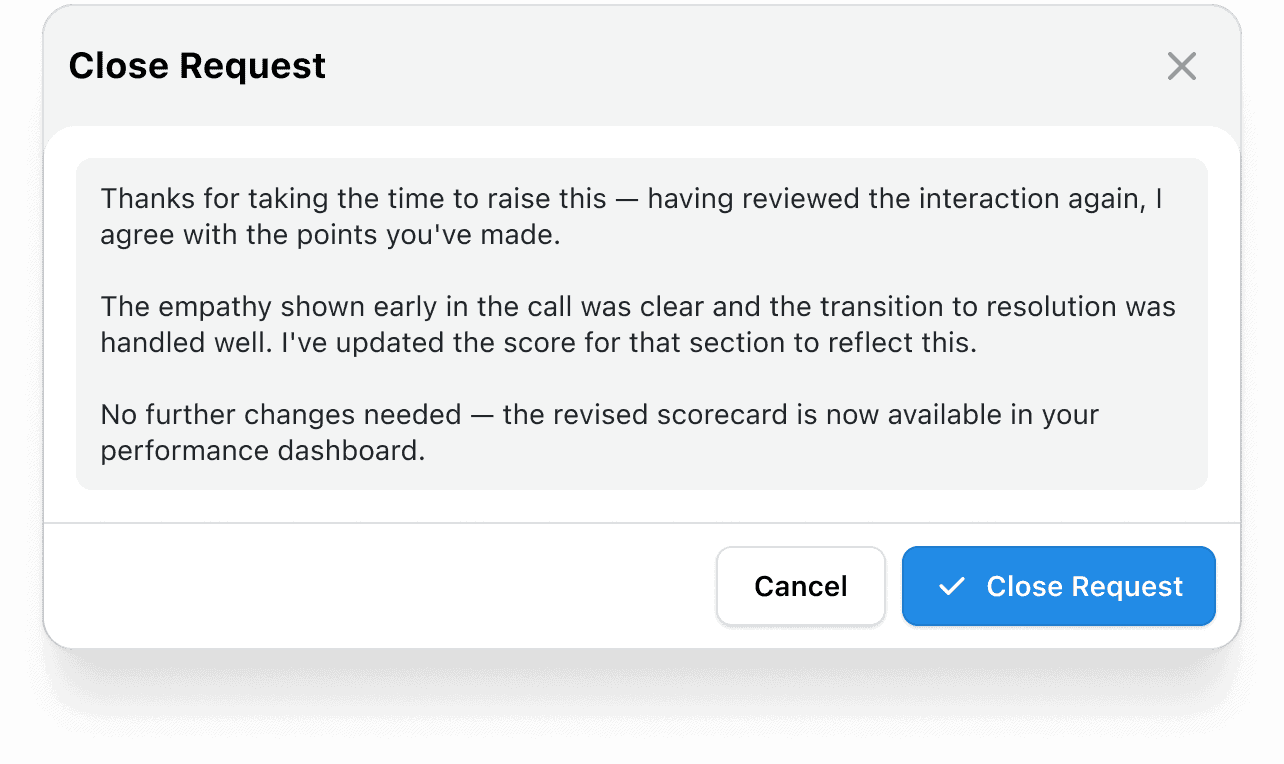
What is it? The last of our June teasers to land: agents can now formally request a revision on a completed review they disagree with, submitting a written reason that’s visible to the reviewer and QA management. The reviewer or a QA manager responds (upholding the scores or adjusting them) and the full history stays on the record via a changelog. Whether this is available is configurable per scorecard, so QA leads can roll it out selectively, including on scorecards powered by AutoQA.
Why does this matter? Before this, a disputed review turned into a side conversation, a DM, or an email; no audit trail, no consistency in how it got handled. Now it’s a structured, filterable workflow inside EdgeTier itself. Agents get a legitimate channel to flag something they believe is wrong instead of letting it go unspoken. Reviewers get a clear queue instead of an inbox. And because the original review, the agent’s reasoning, the response, and any changes all stay visible, there’s accountability on both sides of the conversation.
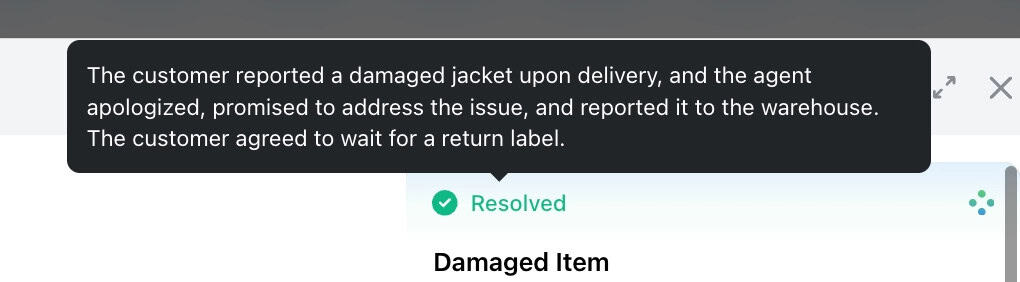
What is it? EdgeTier’s AI assigns a resolution status to every interaction. Now, hovering over that status shows a tooltip explaining exactly why the AI made that call, no settings or permissions required.
Why does this matter? An AI-assigned label is only as useful as the trust you have in it, and “resolved” or “unresolved” without a reason attached asks you to take that trust on faith. This closes that gap. A manager reviewing unresolved interactions gets an instant read on what the customer’s issue actually was and what the agent did or didn’t do about it. A team lead building a report on unresolved contacts can verify the AI’s reasoning before it goes into their analysis. It’s a small addition, but it’s the difference between an AI number and an AI you can actually stand behind.
Resolution rates can offer a useful snapshot of what an AI system is doing, but they often fail to show whether customers were already frustrated, had contacted the business before or still need support. We now solve for that.
Nine updates, and a common thread running through nearly all of them: less waiting, more visibility. Anomaly models you can build yourself. QA calibration you can run in seconds instead of an export. Reviews with an actual dispute process. An AI that tells you why, not just what. Whether you’re a QA lead trying to close a calibration gap, an admin keeping an eye on Ask Spotlight usage, or an agent who just wants to understand their own resolution stats, Q3 was built with you in mind.
We’re always building around your feedback, so if any of these updates spark a question or an idea, reach out to your Customer Success Manager.
Most of what we hear on customer calls is useful. Some of it is just lovely. We've rounded up the
EdgeTier turns your customer conversations into a single connected system: it catches anomalies before they escalate, scores every agent interaction
AutoQA lets you review every customer conversation instead of a small sample. Coverage is only part of the story, though.


Giovane Nicolau Junior
Head of Operations Performance
"EdgeTier is really shining when it comes to responsible gambling. We can proactively track critical issues and take actions, reducing human error."


Nick Brazitis
Global Customer Care Manager
"The anomaly feature is a game changer for us. It’s highly accurate and has helped us identify customer issues, agent errors, and even fraud that would have taken us longer to catch."


Quentin Bottner
Head of Continuous Improvement
"We’re a big business, so getting the right people to agree and fix something hasn’t always been easy. Now we’ve got one version of the truth—it’s much easier to align and act"



Let us help your company go from reactive to proactive customer support.
Unlock AI Insights