
Start with the Right Question: Updated Suggested Prompts in Ask Spotlight.
Since launch, Ask Spotlight has learned to analyse QA review questions, frequent customers and repeat contacts. The suggested prompts you

The Coach Reviews heat-map previously only broke scores down by individual agent. It can now be grouped by reviewer or by agent group instead, so you can compare scoring patterns across teams or reviewers directly in the same heat-map view.
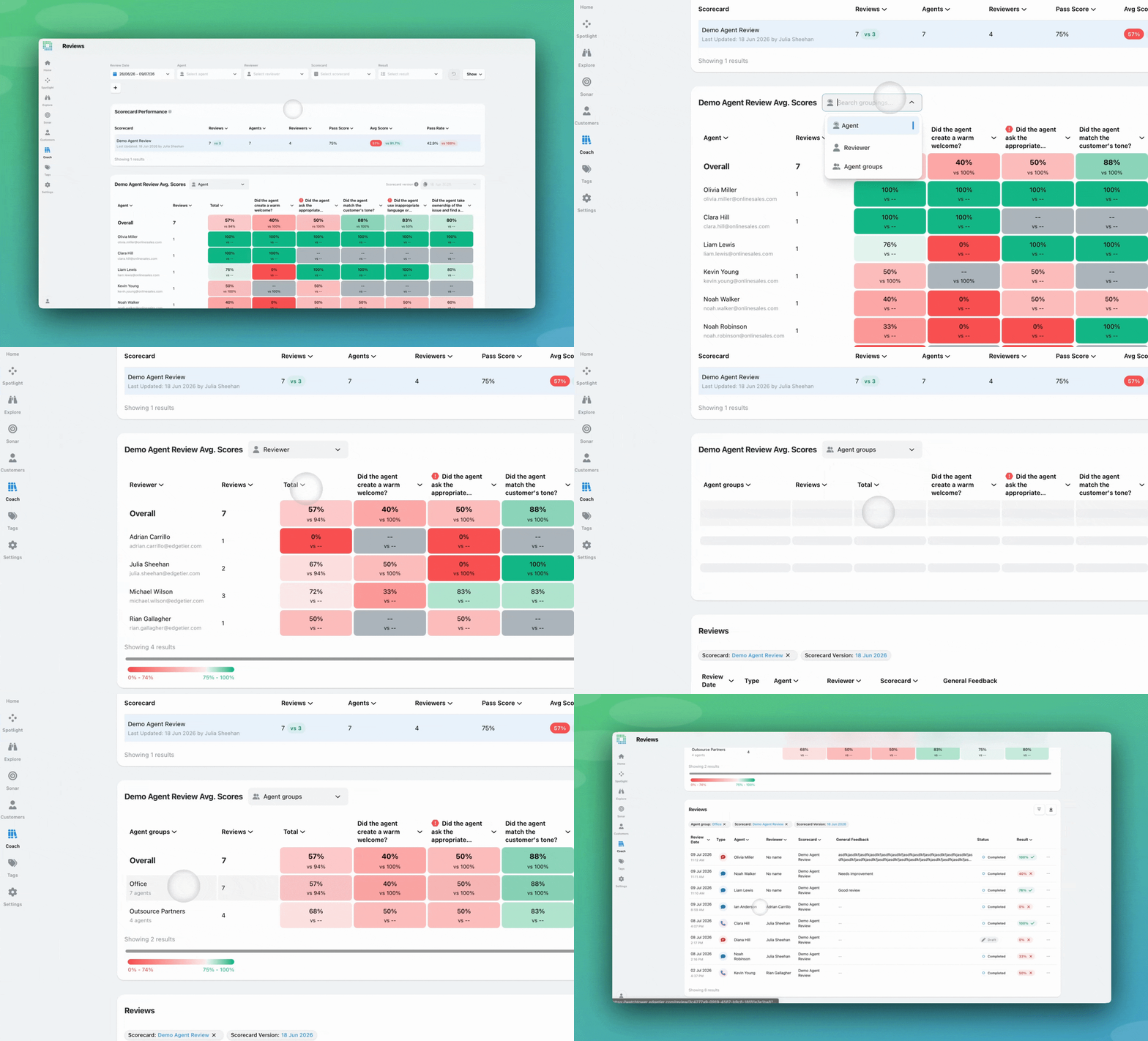
Agent / Reviewer / Agent groups toggle on the heat-map
The heatmap on the Reviews screen breaks down review scores by question. Now this includes a dropdown to split review results into comparable rows: Agent, Reviewer, and Agent Groups.
In Agent mode (the default), the heat-map shows average scores received per agent, exactly as it did before.
Reviewer view
Switching to Reviewer mode flips the first column from agents to reviewers, and the cells now reflect average scores given per question by each reviewer. Date range filters, scorecard selection, and colour scaling all carry through to both alternate views.
Agent groups view
Switching to Agent Groups produces an aggregated row for each agent group, showing the group name alongside a secondary label with the number of agents in that group. Cells show the average score per question across all agents in the group.
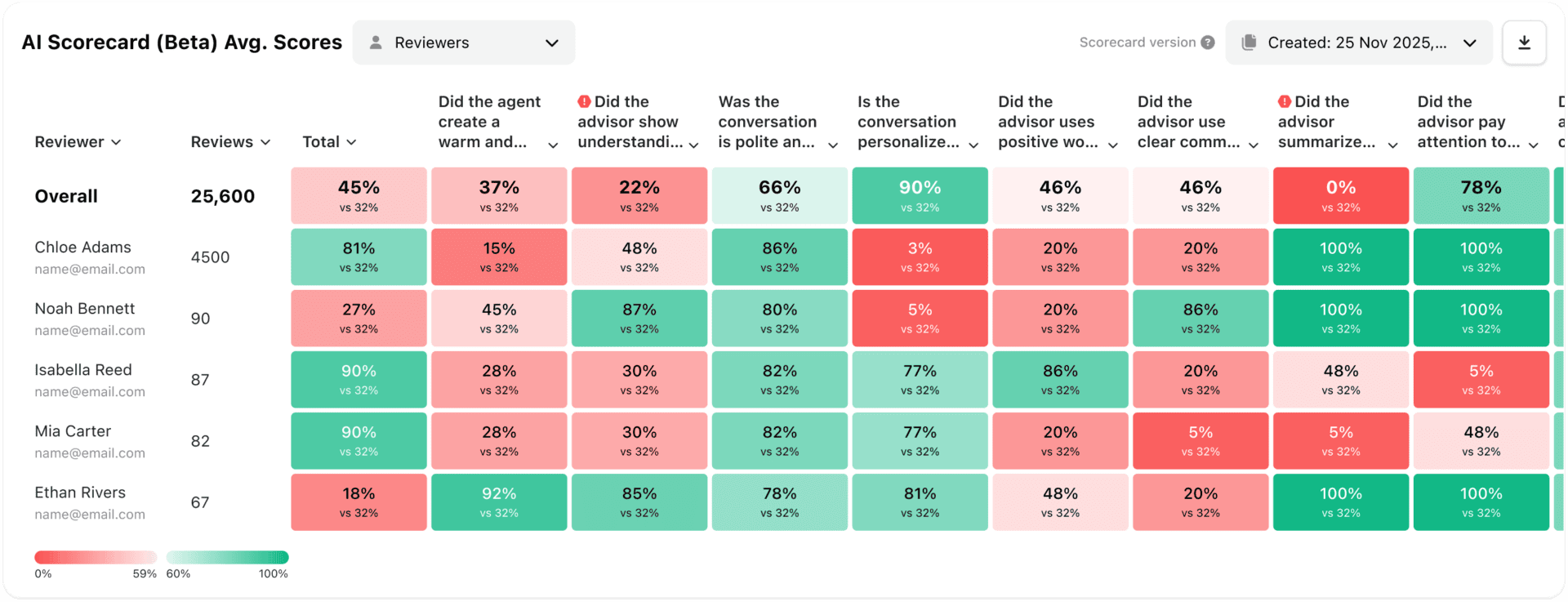
A QA lead opens the AI Scorecard heat-map, switches to Reviewer view, and immediately sees that one reviewer is consistently scoring 15% lower on the “Tone” question compared to the rest of the team. This pattern had been invisible without a custom export, it now takes seconds to surface.
A QA manager uses the Reviewer view during a calibration session to walk the team through how each reviewer is scoring across questions, and identifies where different people are interpreting a question differently.
A reviewer with Manage Own Reviews access switches to Reviewer mode and sees a single row, their own, showing their personal scoring breakdown across each question in the selected scorecard.
A team lead switches to Agent groups view to compare how the “Onboarding” and “Retentions” teams are scoring on the same scorecard, then clicks the “Onboarding” row to jump straight into that group’s reviews for the period.
If you have questions or feedback, reach out to your Customer Success contact.
Since launch, Ask Spotlight has learned to analyse QA review questions, frequent customers and repeat contacts. The suggested prompts you
There are two updates here for anyone who manages users in EdgeTier. The Roles & Permissions page has been reorganised
Ask Spotlight can now look up public information on the web when you ask it to, so it can explain


Vladimir Greavu
BBG Director of Customer Service
"I specifically liked the flexibility. I liked the can-do attitude. I always felt supported. There hasn’t been any single point in our journey where EdgeTier has said no."


Quentin Bottner
Head of Continuous Improvement
"We’re a big business, so getting the right people to agree and fix something hasn’t always been easy. Now we’ve got one version of the truth—it’s much easier to align and act"


Robert Davies
Consultant
"You’ve got an issue, but you don’t know how many people are affected. You don’t know the scale. You don’t even know if it’s real."



Let us help your company go from reactive to proactive customer support.
Unlock AI Insights