
Coaching without the digging: Question-level scoring across reviews
You can now see how every scorecard question was scored across a review period, so you can spot knowledge gaps

Each interaction is now rated across three Experience Driver categories, helping Ask Spotlight find you the root cause of poor customer experience.
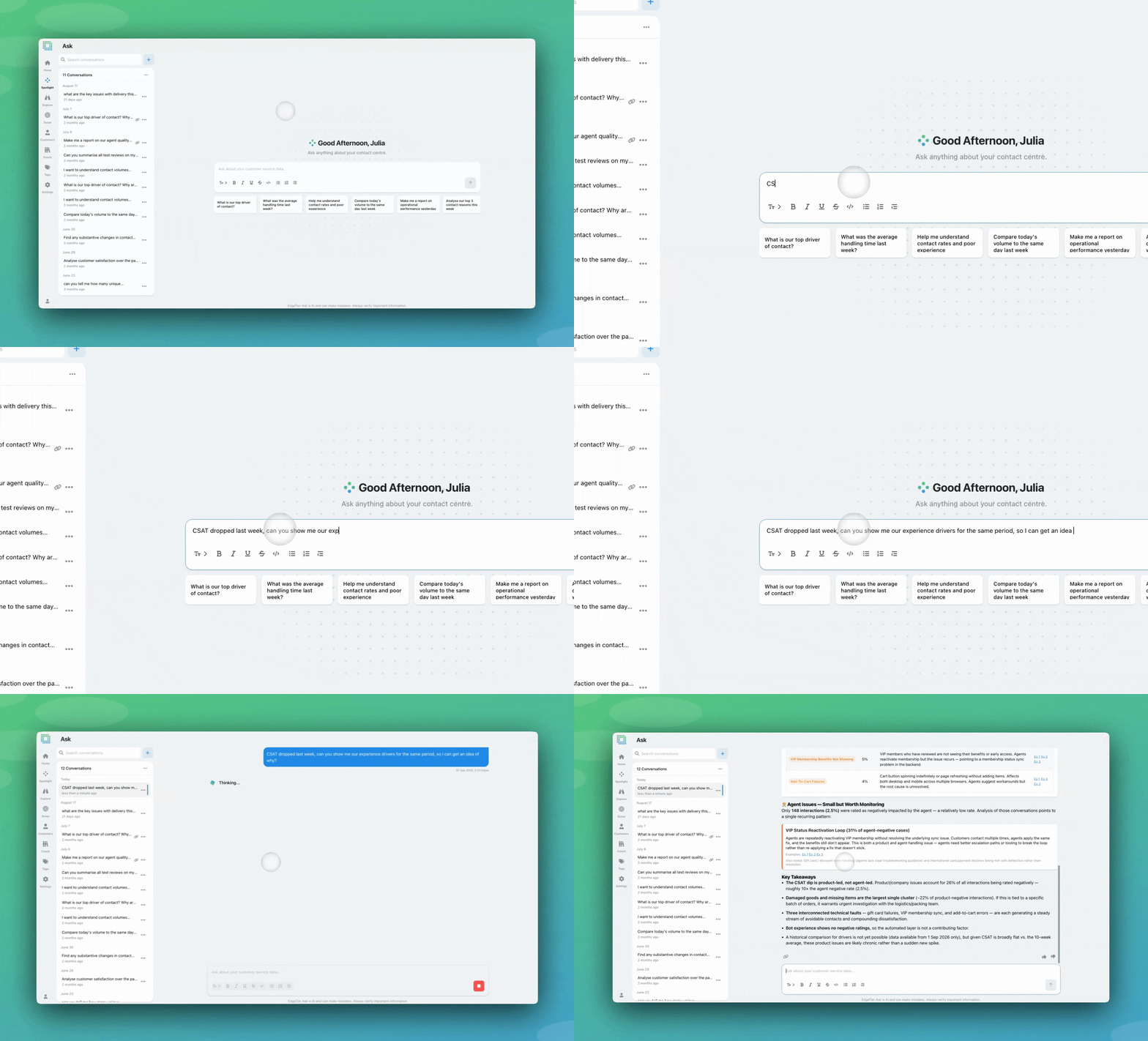
Experience drivers tell you which part of the customer journey caused a good or bad experience and why, helping you find and measure root cause. AI labels are applied for different aspects of the customer experience, rating them as positive, negative, or neutral.
Each of your interactions is now automatically rated across three Experience Driver categories:
Note: these drivers are only applied where relevant, so a conversation with no bot involvement will not receive a ‘Bot handling’ rating.
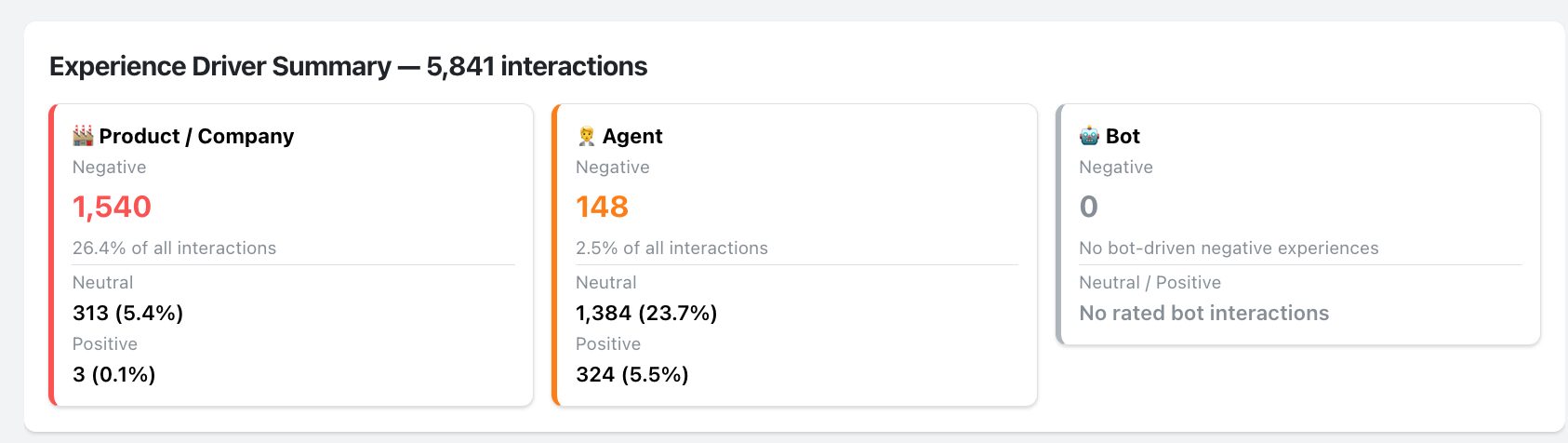
Each positive, negative, or neutral rating is paired with a one-sentence explanation of why it was applied. For example, if Bot Handling comes back negative, you might see something like: “The bot misunderstood the customer’s question, looped them through the menu, and they left without resolution.”
Now that these ratings and explanations are explorable in Ask Spotlight, they will be invoked when relevant, and it will be easier to quantify the root cause behind your CX questions.
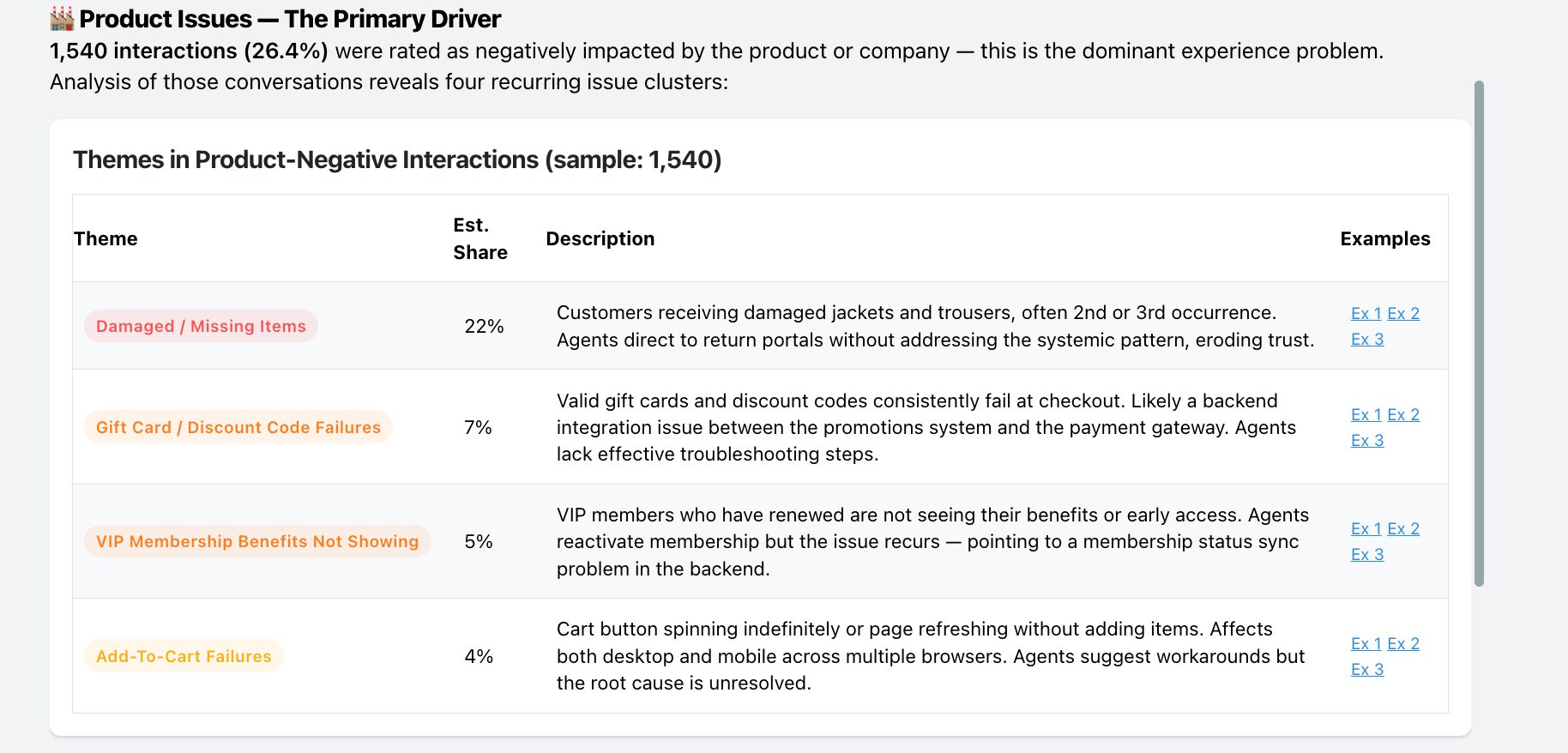
Interaction counts, aggregates and search can now be filtered by driver and rating through Ask Spotlight, or any MCP-connected assistant. You can scope a question to one driver and one rating, then break the result down by contact reason, team, market or any other dimension you already use.
That lets you ask which part of the experience is going wrong, rather than just how badly an interaction went overall. You might find Agent Handling is consistently positive across a market where Product/Process is consistently negative, which tells you your team is holding the line on something the product is causing.
Though both are signals helping you understand the overall customer experience for each interaction, these are currently powered by two separate systems:
Note: Drivers aren’t an input to the experience score (yet), so the two can seemingly ‘disagree’.
Example. A customer contacts you about a cancelled flight, angry from the first message and still angry at the end. The agent answers fast, confirms their entitlement and rebooks them.
The Experience Score is low: frustration=high, final sentiment=negative. But Agent Handling is positive. Read together: the interaction went badly for the customer, and the reason was the cancellation, not the agent.
⭐ Experience drivers are stored from the 1st of September for interactions. Interactions before this date will not have the drivers present.
⭐ UI support for filtering by Experience Driver is coming soon. A new filter category will let you do the same filtering directly on Explore, Agent Activity, and other interaction tables.
If you have any queries about using this within Ask Spotlight or your own AI agent, reach out to Customer Success.
You can now see how every scorecard question was scored across a review period, so you can spot knowledge gaps
Every agent who touches a conversation gets tracked against it now, and you can widen filtering and reporting to match,
You're now able to drop reusable variables into an Ask Spotlight prompt, so you don't have to retype the same


Afroditi Pina
Director of Customer Service
"It has reduced the time for the quality assurance process as it provides clear data and a very robust direction on where to look and what matters the most."


Quentin Bottner
Head of Continuous Improvement
"We’re a big business, so getting the right people to agree and fix something hasn’t always been easy. Now we’ve got one version of the truth—it’s much easier to align and act"


Vladimir Greavu
BBG Director of Customer Service
"I specifically liked the flexibility. I liked the can-do attitude. I always felt supported. There hasn’t been any single point in our journey where EdgeTier has said no."



Let us help your company go from reactive to proactive customer support.
Unlock AI Insights