
Faster Follow-Ups: Add Variables to Your Ask Spotlight Prompts
You're now able to drop reusable variables into an Ask Spotlight prompt, so you don't have to retype the same

The Reviews, Agent Performance, and Agent Log-In screens now show headline performance metrics at a glance, no more digging through the table for totals.
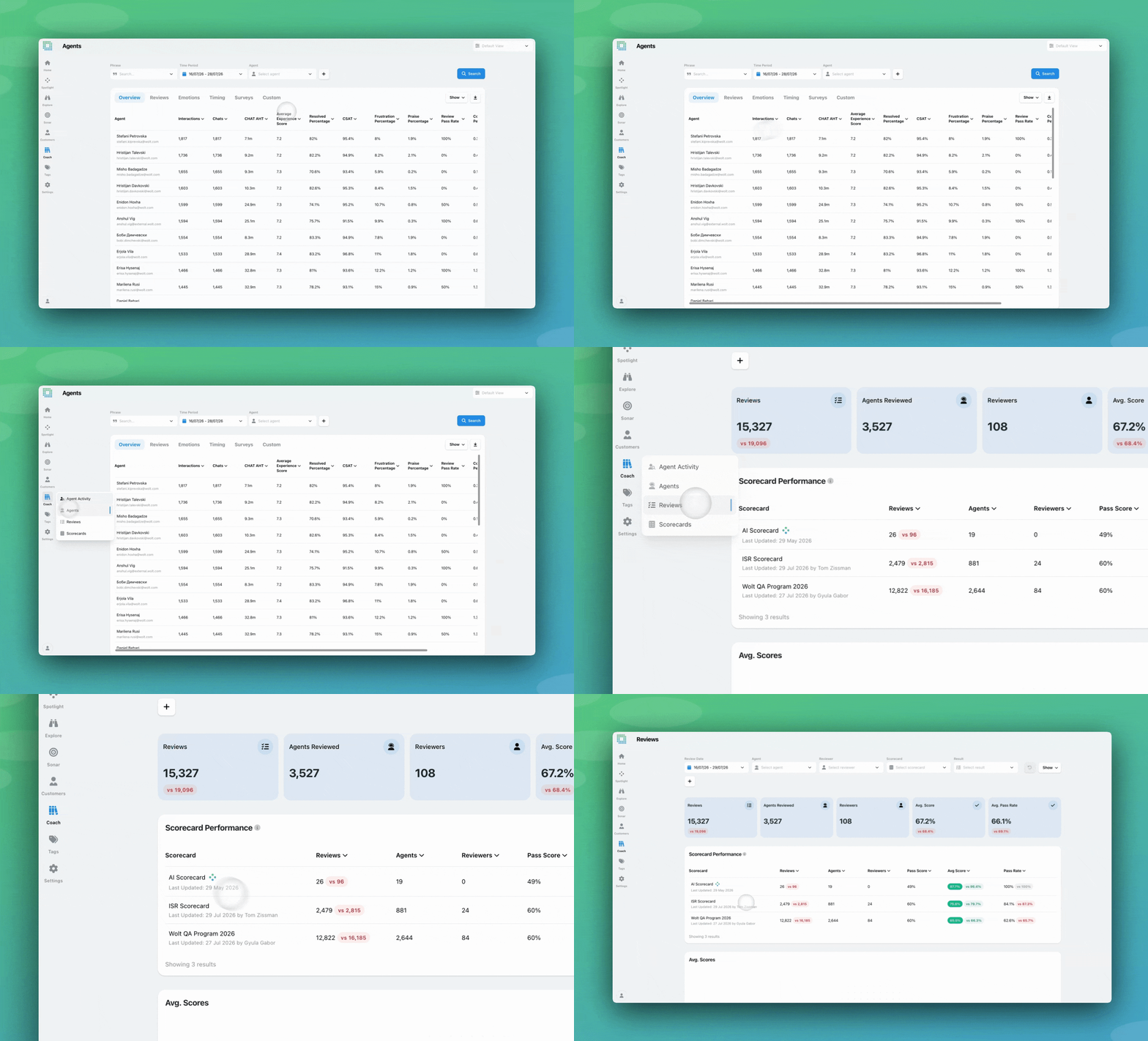
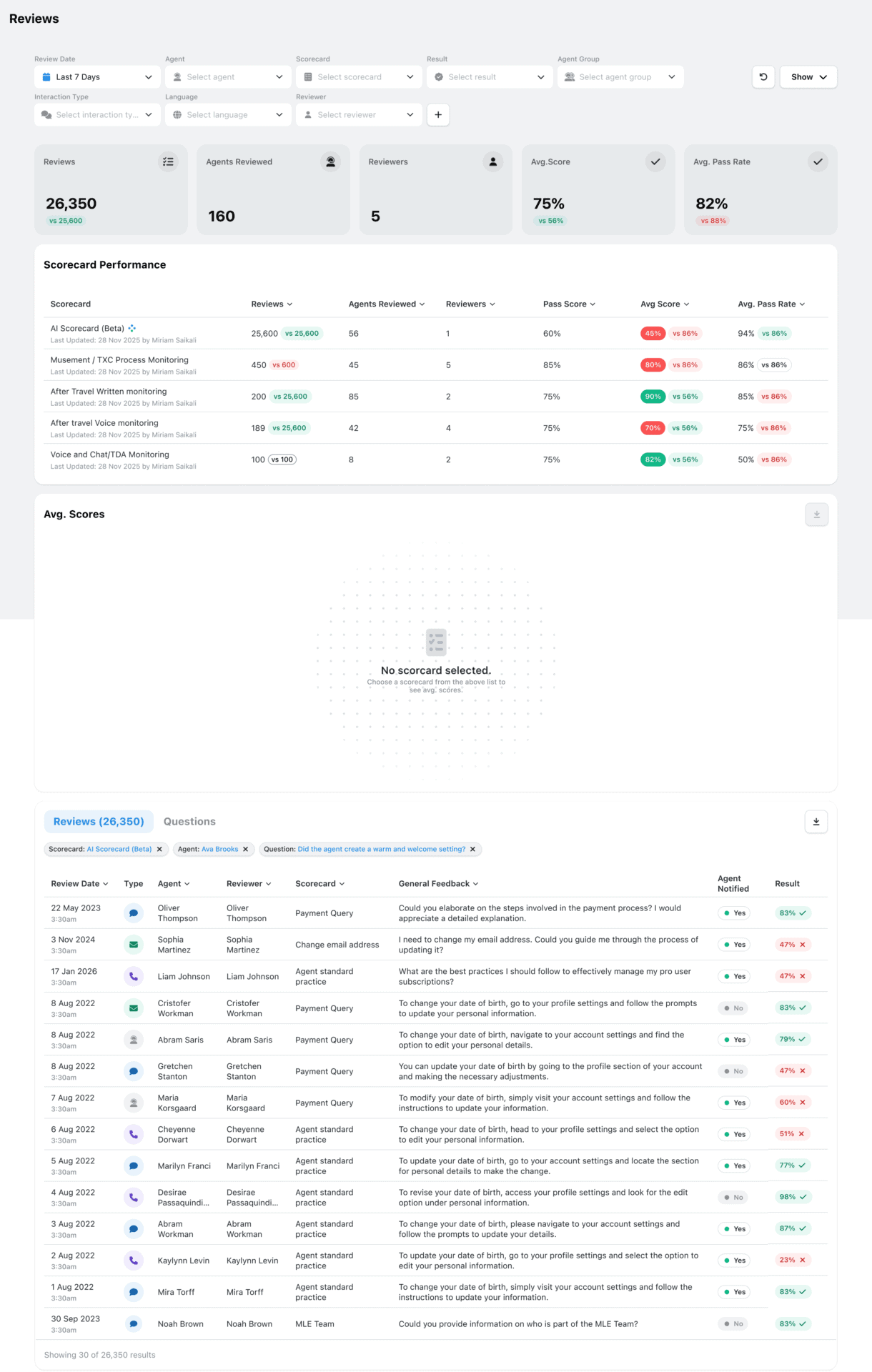
Five summary metrics now appear at the top of the Reviews screen, scoped to whatever filters and date range you have applied: Reviews, Agents Reviewed, Reviewers, Avg. Score, and Avg. Pass Rate. Reviews, Avg. Score, and Avg. Pass Rate also show a comparison to the previous period, so you can see at a glance whether things are trending up or down.
The same summary boxes are also coming to the Agent Performance screen, scoped to whichever agent(s) you’ve selected there. With this, a review of one agent, or a group of agents, gets its own headline numbers rather than the org-wide picture.
On the Agent Log-In screen, agents see a personal version of this: their own Reviews, Avg. Score, and Avg. Pass Rate, each with a period-over-period comparison.

If you have questions or feedback, reach out to your Customer Success contact.
You're now able to drop reusable variables into an Ask Spotlight prompt, so you don't have to retype the same
Every interaction gets a rating and a short explanation for each of three Experience Drivers, so you can see whether
This update brings together a set of smaller improvements, all based on feedback from people who use EdgeTier every day.


Deborah Guivisdalsky
COO
"We now have highly detailed understanding of agent performance, not just on key agent metrics, but also on how customers react to our agents and the emotions of our customers feel when talking to our team."


Debbie Duggan
Contract Manager for Customer Solutions
"We thought at the time that we were putting the customer at the fore. We thought we were doing things right. But in hindsight, we really weren’t because we had no real-time insights whatsoever into customer issues."


Giovane Nicolau Junior
Head of Operations Performance
"EdgeTier is really shining when it comes to responsible gambling. We can proactively track critical issues and take actions, reducing human error."



Let us help your company go from reactive to proactive customer support.
Unlock AI Insights