
Faster Follow-Ups: Add Variables to Your Ask Spotlight Prompts
You're now able to drop reusable variables into an Ask Spotlight prompt, so you don't have to retype the same

Ask Spotlight can now look up public information on the web when you ask it to, so it can explain the things your own data can't.
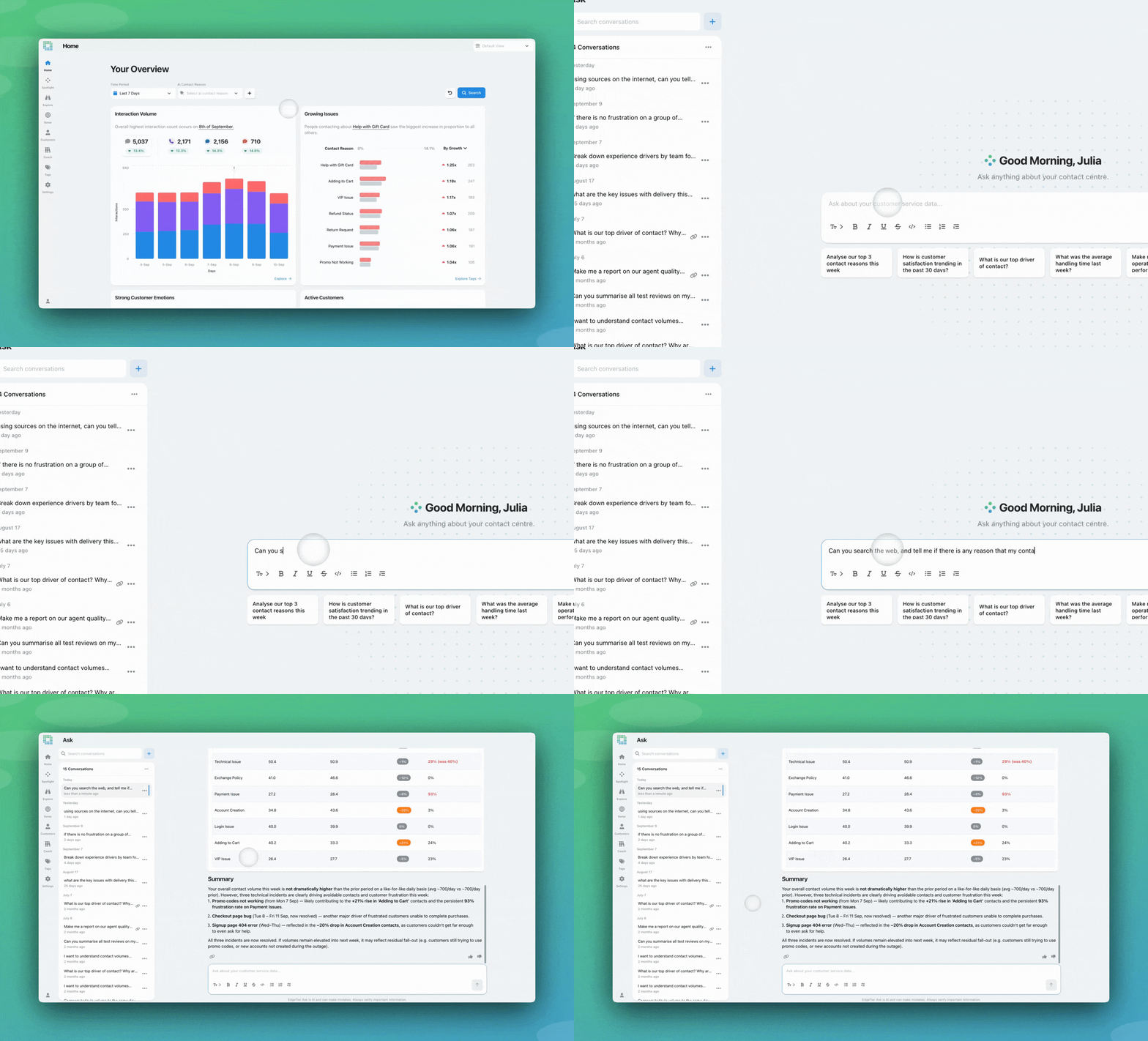
Your contacts can tell you that 300 people got in touch about a diverted flight this morning. The reason for the diversion lives outside EdgeTier, in a news report about fog closing the airport. Same story when players complain about how a wager was graded: your data has the anger, and the match result that explains it is somewhere on the web.
Ask Spotlight can now go and look. Ask it to check the web and it runs a search, reads the results, and folds what it finds into the answer alongside your interaction data.
It only searches when you ask. You have to request it in the message: “search the web”, “can you look that up”, “check what happened with X”. Without that, Ask Spotlight answers from your data alone, even for a question a search would obviously improve. That keeps the behaviour predictable. When an answer contains anything from outside EdgeTier, you asked for it, and you can see where it came from.
Every result is cited. Anything Ask Spotlight takes from a search comes back with the source and a link. A snippet from a news site is worth a different amount to a number out of your own database, and seeing where a claim came from lets you judge it.
Already using EdgeTier over MCP? You can do the same thing there. If you’ve connected Claude, ChatGPT or another assistant to the EdgeTier MCP server, that assistant brings its own web search, so it can pull your interaction data and public context into one answer without waiting on this flag. The difference is whose search you’re using and what it costs: Ask Spotlight’s runs inside AWS under the controls described below, while an MCP-connected assistant searches through its own provider under your agreement with them.
⭐ Searches are capped at three ‘web search requests’ per message, with a maximum of 7 results per query. That’s enough to establish what happened while keeping the answer readable.
⭐ Ask Spotlight is still an analytics assistant. It won’t open a link you paste in, browse a page you send it, or work as a general research tool. The search is there to explain your customer contacts.
If you have any queries about using this within Ask Spotlight, or you’d like it turned on for your organisation, reach out to Customer Success.
You're now able to drop reusable variables into an Ask Spotlight prompt, so you don't have to retype the same
Every interaction gets a rating and a short explanation for each of three Experience Drivers, so you can see whether
This update brings together a set of smaller improvements, all based on feedback from people who use EdgeTier every day.


Robert Davies
Consultant
"You’ve got an issue, but you don’t know how many people are affected. You don’t know the scale. You don’t even know if it’s real."


Quentin Bottner
Head of Continuous Improvement
"We’re a big business, so getting the right people to agree and fix something hasn’t always been easy. Now we’ve got one version of the truth—it’s much easier to align and act"


James Waghorn
Director of Customer Contact
"EdgeTier is no ordinary software product... It has completely changed how we work at CarTrawler."



Let us help your company go from reactive to proactive customer support.
Unlock AI Insights