
Coaching without the digging: Question-level scoring across reviews
You can now see how every scorecard question was scored across a review period, so you can spot knowledge gaps

Ask Spotlight is getting smarter and easier to share. Three updates are landing together.
Set your company rules once, and Ask Spotlight applies them automatically to every question, no re-briefing required.
A new Rules page in Ask Spotlight lets designated admins save company-level context that shapes every output: your company name, the topics and priorities that matter most, and any standing rules Ask Spotlight should always apply. Once saved, these rules are automatically included in every Ask Spotlight session across your organisation.
All users with Ask Spotlight access can view the current Rules. Only users with the Manage AI Rules permission can edit and save changes.

EdgeTier will have pre-populated basic rules for every organisation to help you get started
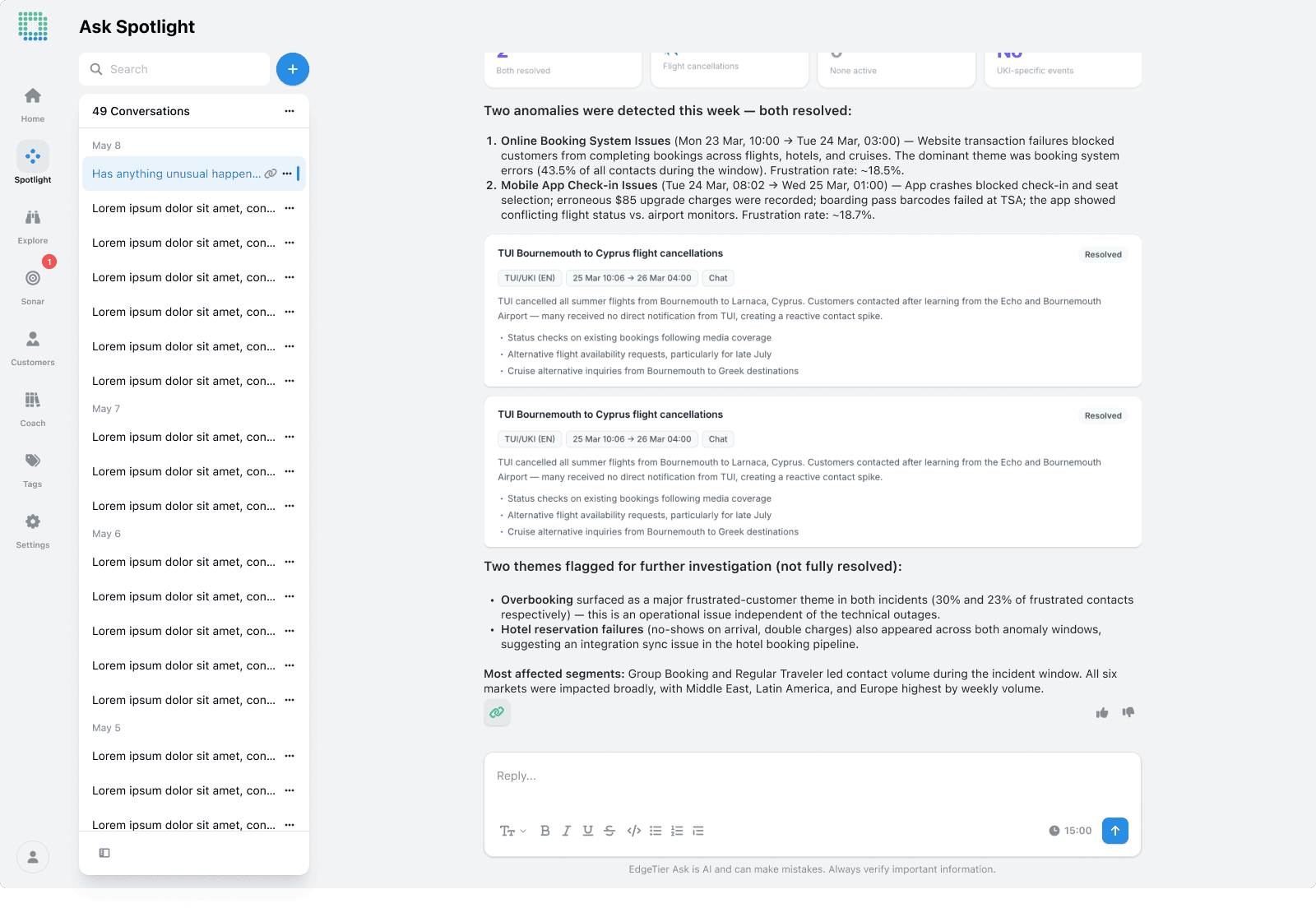
Useful answers from Ask Spotlight no longer have to live inside one person’s chat. You can now save any response, or the full conversation around it, as a shareable link that anyone on your team can open.
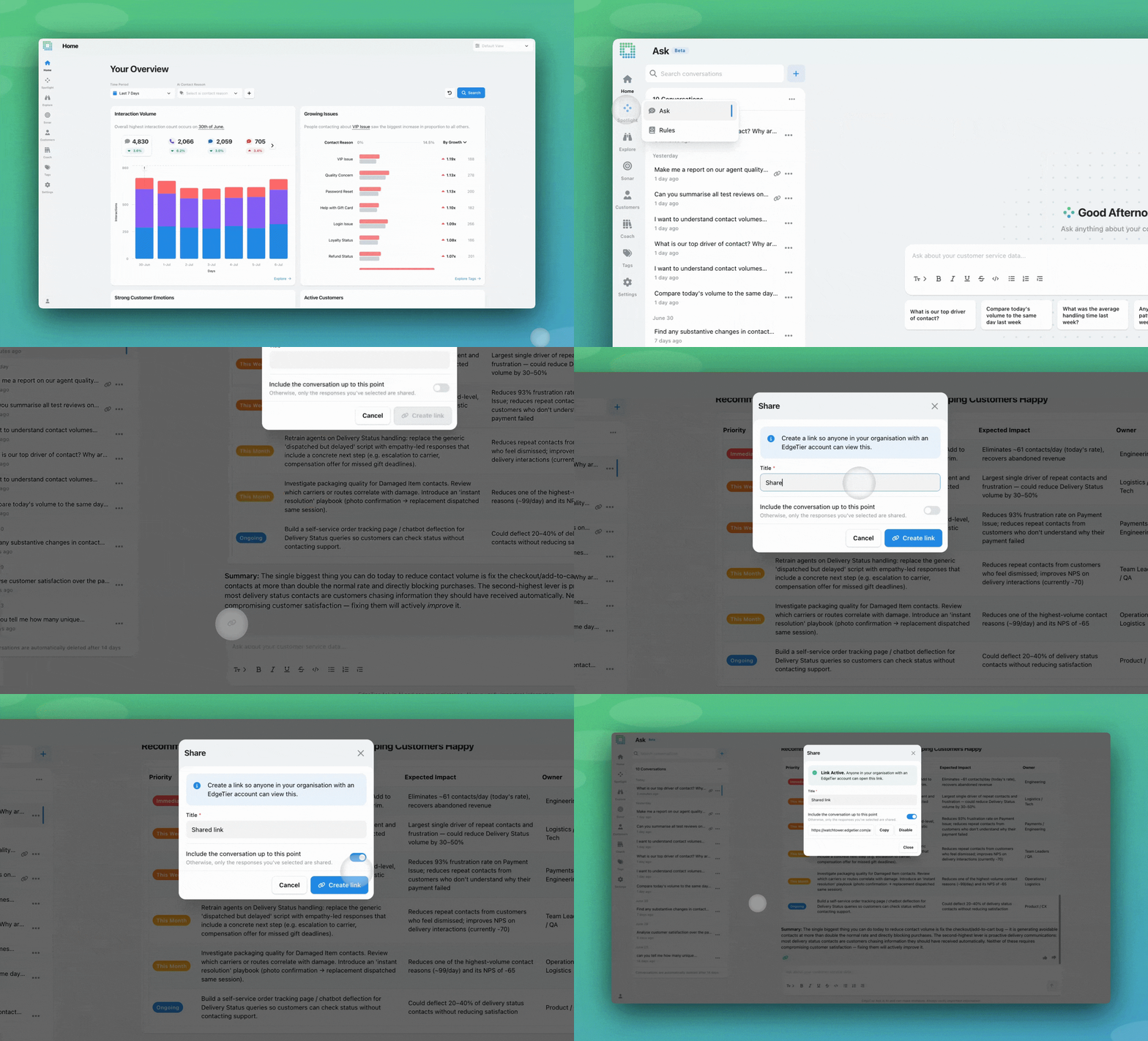
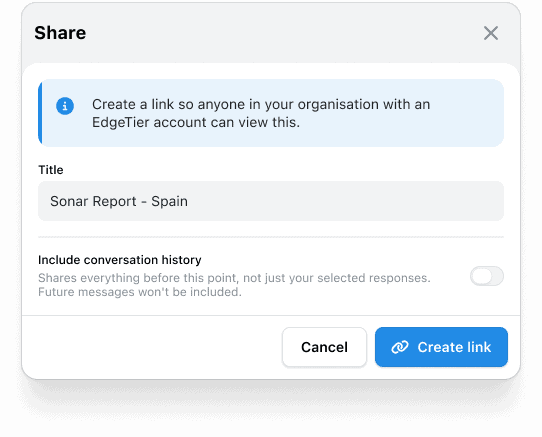
A new Share icon appears at the end of every Ask Spotlight response. Click it and you’ll get a short modal asking for a title, a toggle for whether to include the full conversation or just the single response, and a Create Link button. The link is generated immediately and can be shared with any of your EdgeTier users.
Each session now also shows when it has one or more active shares, so you can see at a glance which of your asks are out in the wild, and disable these if necessary
If you opt to share the full conversation, any prompt in that session up to that message will be included. If you don’t , only the response you have selected share on will be available. Any future prompts in that session will never be included
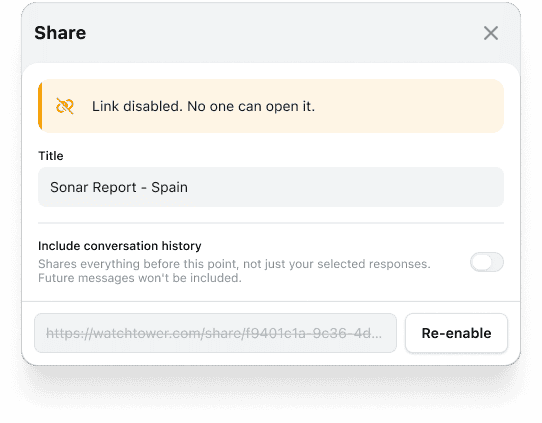
6. Disable the link if necessary, and re-enable from the same modal
Links are available to any user that can log into EdgeTier, and do not expire. The page link is static, and once shared, always available to the user, provided they can log into EdgeTier.
Links can be disabled. Once this happens, the link will display an empty page within EdgeTier
Repeat contact is one of the clearest signals something isn’t resolving on the first try. Before, Ask Spotlight had trouble grouping interactions by contact, so some of the insights it returned around repeat contacts were incomplete. We’ve launched new routes and tools to make it easier to measure and investigate these within Ask Spotlight.
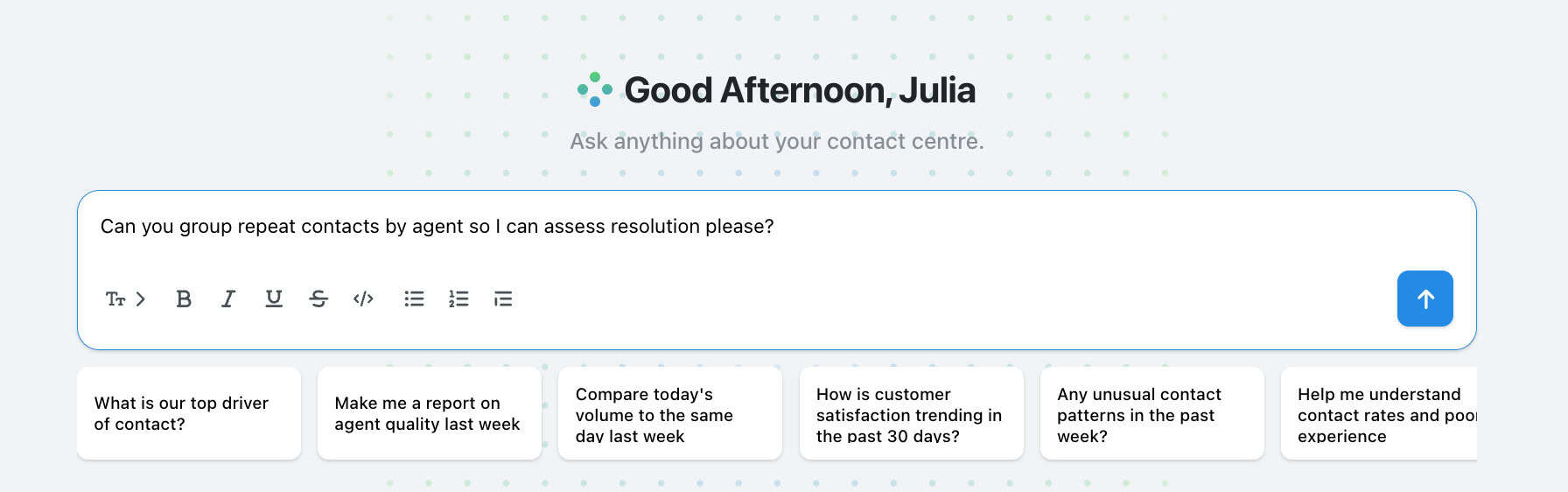
We’re constantly improving Ask Spotlight – both adding features to improve your workflow, and expanding the agent’s capabilities. Soon, we’ll be launching Templates, a way to save and share report prompts, so they can be replicated across teams. Also, Ask Spotlight will give you better summaries of Agent strengths and opportunities to improve.
You can find our full ‘Ask Spotlight’ documentation here.
Let us know if you have any feedback! If you have questions or concerns, please reach out to your customer success contact.
You can now see how every scorecard question was scored across a review period, so you can spot knowledge gaps
Every agent who touches a conversation gets tracked against it now, and you can widen filtering and reporting to match,
You're now able to drop reusable variables into an Ask Spotlight prompt, so you don't have to retype the same


Afroditi Pina
Director of Customer Service
"It has reduced the time for the quality assurance process as it provides clear data and a very robust direction on where to look and what matters the most."


Quentin Bottner
Head of Continuous Improvement
"We’re a big business, so getting the right people to agree and fix something hasn’t always been easy. Now we’ve got one version of the truth—it’s much easier to align and act"


Vladimir Greavu
BBG Director of Customer Service
"I specifically liked the flexibility. I liked the can-do attitude. I always felt supported. There hasn’t been any single point in our journey where EdgeTier has said no."



Let us help your company go from reactive to proactive customer support.
Unlock AI Insights