
See what drove each interaction’s experience: the agent, the bot, or the product
Every interaction gets a rating and a short explanation for each of three Experience Drivers, so you can see whether

You're now able to drop reusable variables into an Ask Spotlight prompt, so you don't have to retype the same agent, team, or date range every time you ask a question.
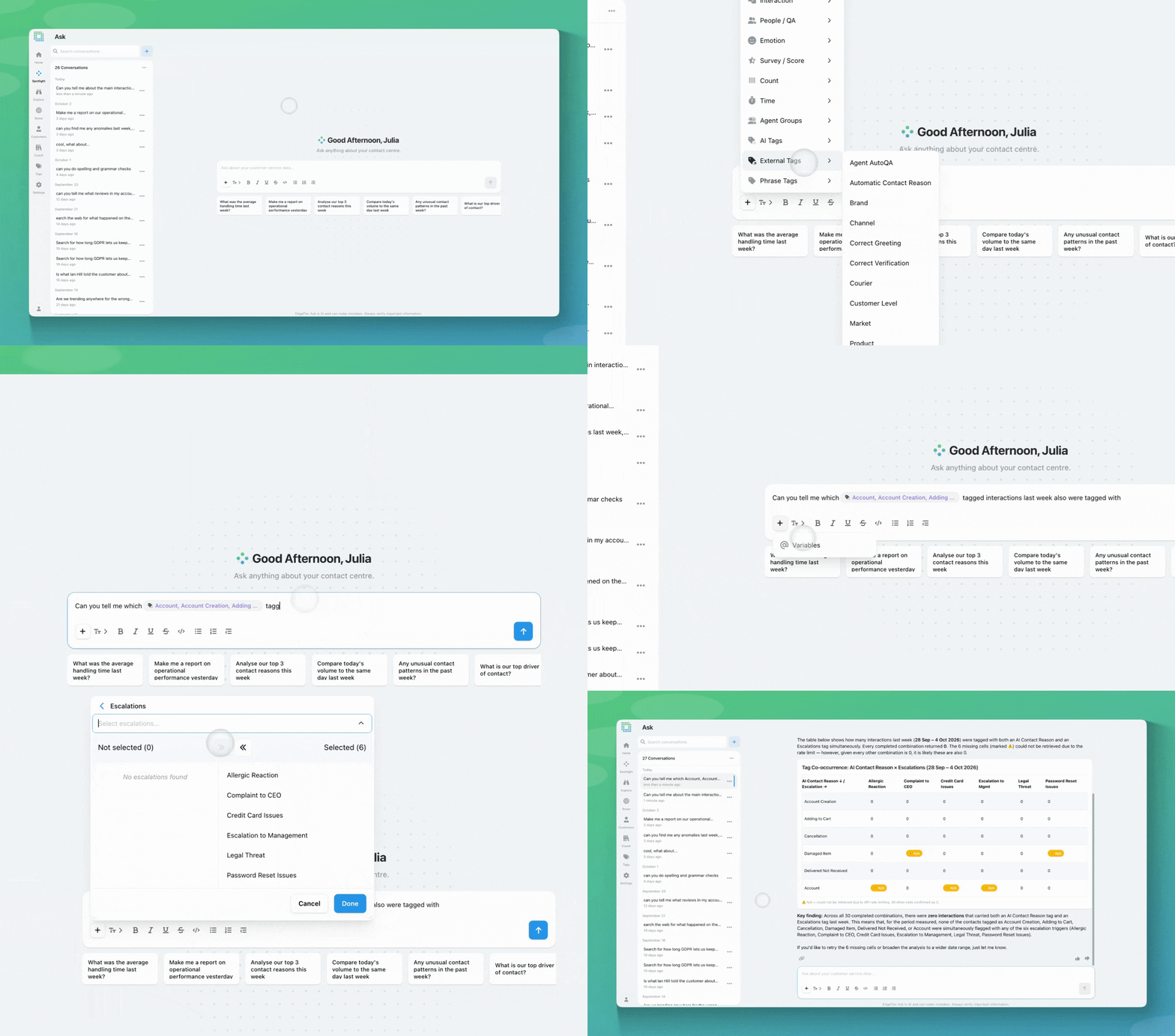
Right now, every Ask Spotlight prompt has to spell out its own detail. Asking about a specific agent, team, or time period means typing all of that out each time, even if you’re asking a similar question five minutes later.
Variables fix that. You can now insert a variable, like an agent, tag, team, time period, or metric, directly into a prompt. It shows up as a purple pill in the text, and you can click it any time to swap it for a different value instead of retyping the question. So “Tell me the top performing agents on resolved interactions in the Ireland team” can become “Tell me the top performing agents in [Ireland team],” where that pill is one click away from becoming “Munich team” for your next question.
We filmed a ‘How-To’ video to demo the functionality for you live

You can add a variable to any Ask Spotlight prompt one of two ways: type @ to open a searchable dropdown at your cursor, or use the plus button in the message bar. Either way opens the same list of variable types, agents, tags, teams, time periods, metrics, and more, and picking one drops a pill into your prompt.
Say you’re a QA lead who checks forty agent’s performance every week. Add the agent as a variable, and easily select all 40 in one go.
Or you’re comparing tags in the same group. Click once, and add every tag in one go.
If you have questions or feedback, reach out to your Customer Success contact.
Every interaction gets a rating and a short explanation for each of three Experience Drivers, so you can see whether
This update brings together a set of smaller improvements, all based on feedback from people who use EdgeTier every day.
Since launch, Ask Spotlight has learned to analyse QA review questions, frequent customers and repeat contacts. The suggested prompts you


Quentin Bottner
Head of Continuous Improvement
"We’re a big business, so getting the right people to agree and fix something hasn’t always been easy. Now we’ve got one version of the truth—it’s much easier to align and act"


Afroditi Pina
Director of Customer Service
"It has reduced the time for the quality assurance process as it provides clear data and a very robust direction on where to look and what matters the most."


Deborah Guivisdalsky
COO
"We now have highly detailed understanding of agent performance, not just on key agent metrics, but also on how customers react to our agents and the emotions of our customers feel when talking to our team."



Let us help your company go from reactive to proactive customer support.
Unlock AI Insights