
EdgeTier is now in Claude’s connector directory
EdgeTier is now listed in Claude’s connector directory so you can connect from there in a couple of clicks instead

There are two updates here for anyone who manages users in EdgeTier. The Roles & Permissions page has been reorganised to make building a role quicker. And if your organisation uses Okta to manage staff access to work tools, you can now keep your EdgeTier users in sync with it automatically.
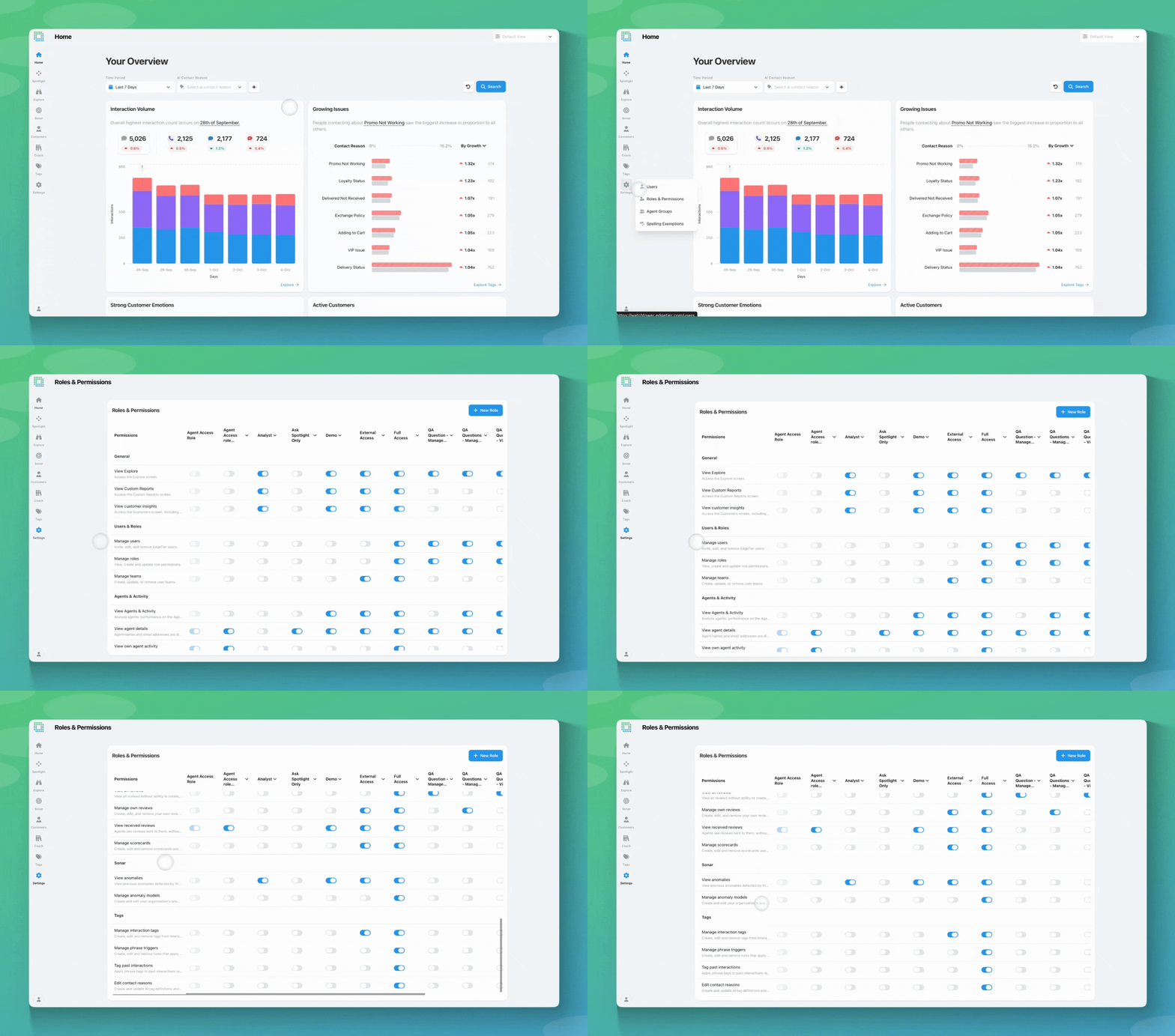
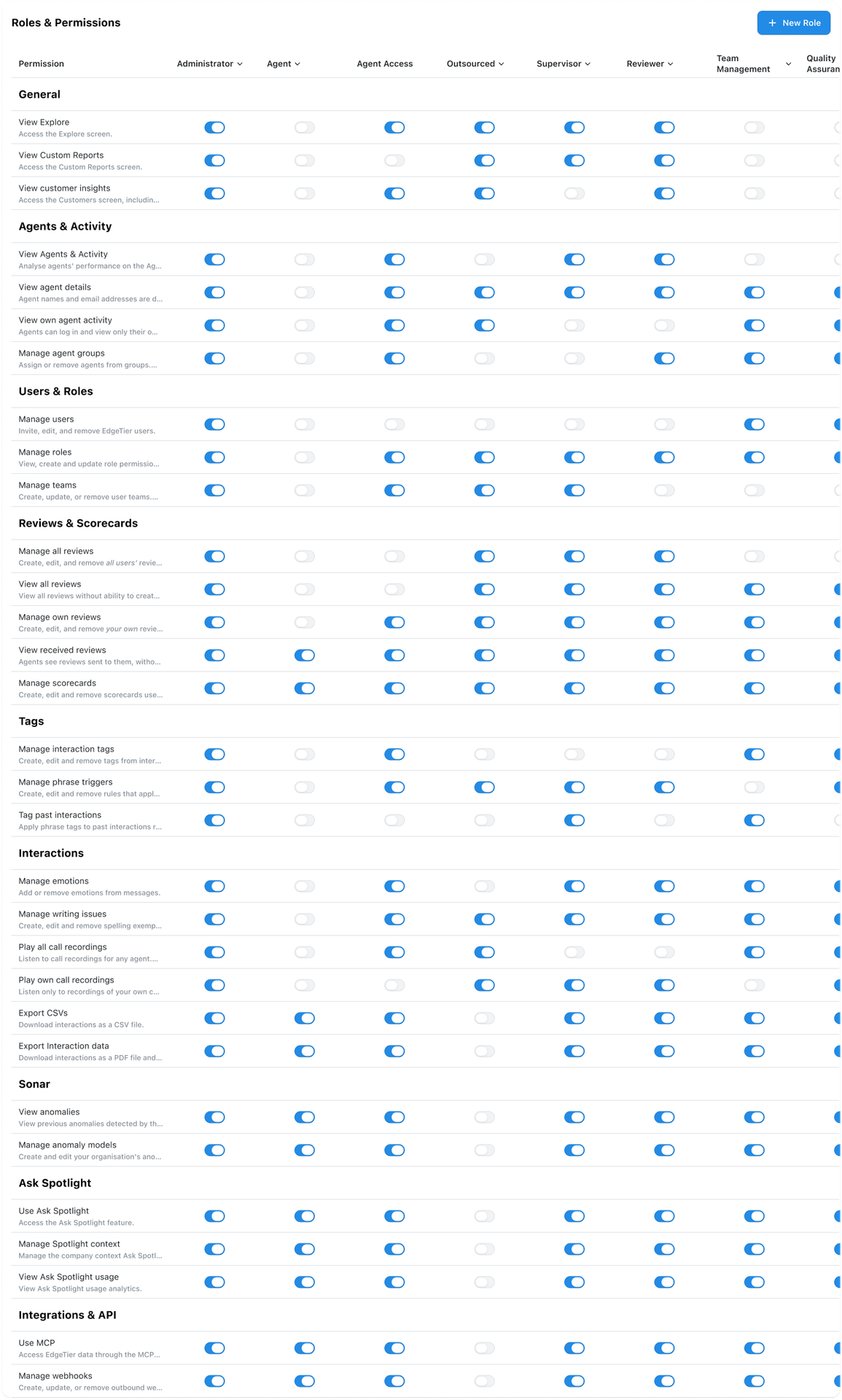
Permissions are now grouped by the part of WatchTower they control, so you can find the one you need quickly. The groups are:
Each permission has a tooltip that explains what it gives access to. For example, hovering over “Play own call recordings” shows that it only covers recordings of the user’s own calls.
We’ve also renamed five permissions so their names better match what they do:
This only changes the layout. Your existing roles and their permissions stay as they were. You’ll find the page under Settings → Roles and Permissions.
If your organisation uses Okta to manage who has access to which tools, you can now manage EdgeTier users there too. Add a new starter in Okta and they get an EdgeTier login with the right role. When someone leaves and you deactivate them in Okta, their EdgeTier access is switched off at the same time, so there’s no separate cleanup to remember.
Not sure if you use Okta? Your IT team will know. (This uses SCIM 2.0, the standard way identity providers share user changes with other apps.)
A few things to know before you set it up:
Support for Microsoft Entra ID is next, using the same setup. We’ll be adding more over the coming months.
Contact support@edgetier.com or your Customer Success Manager and we’ll get it set up for your account. If you don’t use Okta but you’re still interested in this feature, please contact us to request support for your team’s identity provider
If you have questions or feedback, reach out to your Customer Success contact.
EdgeTier is now listed in Claude’s connector directory so you can connect from there in a couple of clicks instead
You can now see how every scorecard question was scored across a review period, so you can spot knowledge gaps
Every agent who touches a conversation gets tracked against it now, and you can widen filtering and reporting to match,


Robert Davies
Consultant
"You’ve got an issue, but you don’t know how many people are affected. You don’t know the scale. You don’t even know if it’s real."


Afroditi Pina
Director of Customer Service
"It has reduced the time for the quality assurance process as it provides clear data and a very robust direction on where to look and what matters the most."


Nick Brazitis
Global Customer Care Manager
"The anomaly feature is a game changer for us. It’s highly accurate and has helped us identify customer issues, agent errors, and even fraud that would have taken us longer to catch."



Let us help your company go from reactive to proactive customer support.
Unlock AI Insights