
Coaching without the digging: Question-level scoring across reviews
You can now see how every scorecard question was scored across a review period, so you can spot knowledge gaps

Up until now, any new phrase tags were only added to interactions that occurred after the tag was created or updated. Tag Past Interactions will let you apply new or updated phrase tags to older interactions that are already in the EdgeTier system.
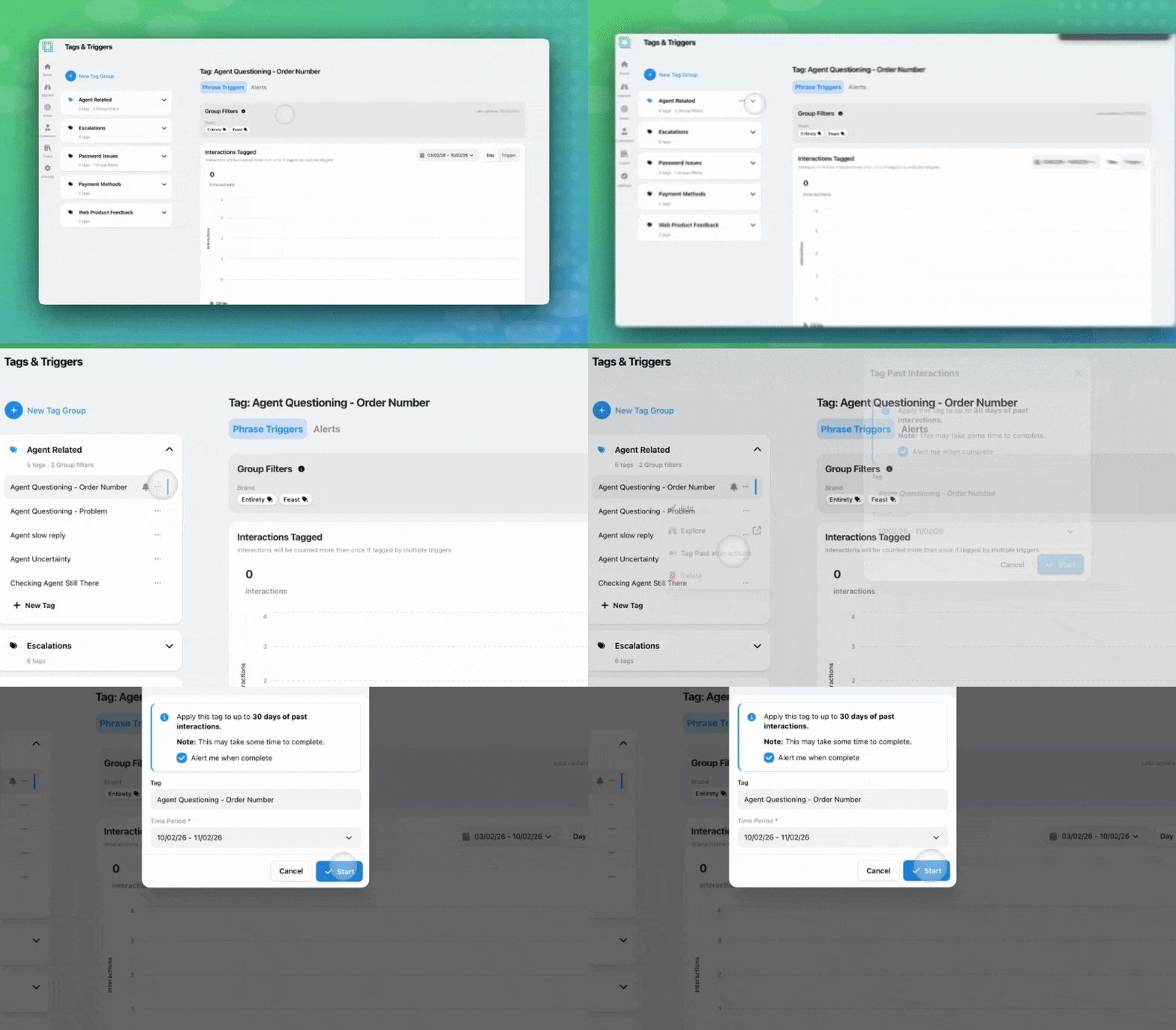
For example:
In short, this will allow you to validate trigger changes against a larger historical sample (up to the last 30 days) instead of waiting for new interactions to arrive.
If you create or update a tag or trigger, and you would like these changes to be applied to historical data, you have two options, depending on the changes you have made. You can backfill a single tag, or multiple tags as part of a batch.
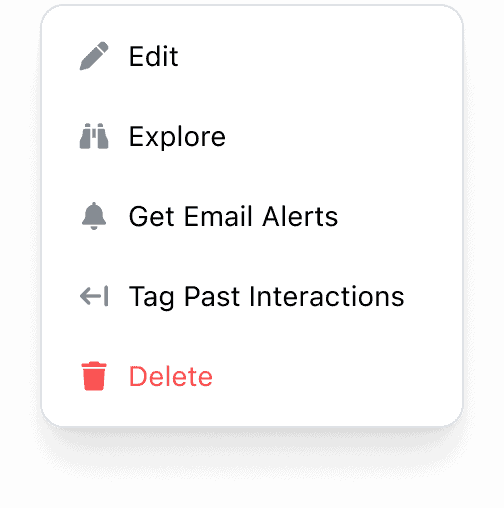
This option may be appropriate if you have updated a single trigger on a tag.
Once tagging starts, the page will show a tagging-in-progress banner. Depending on your interaction volumes, this can take some time to complete.
This option may be appropriate if you had to make changes across different tags and triggers in a group.
You can start the process on multiple tags, but they’ll be processed one batch at a time in the background.
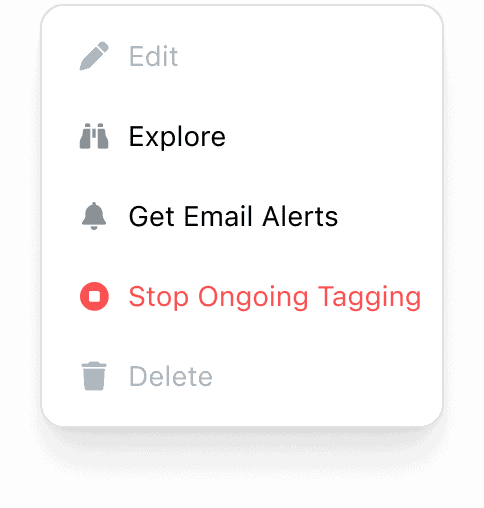
If you started a process to tag past interactions by mistake, or the date range/tag selection needs changing:

If you would like a user to have the ability to apply phrase tags to past interactions:

You’ll only see the option to tag past interactions if your role includes the TAG PAST INTERACTIONS permission. Any user with Tags&Triggers access will be able to see the ‘Tagging in Progress’ notification, and subscribe to be notified when complete. This feature will be rolled out to all customers over the next two weeks.
You can now see how every scorecard question was scored across a review period, so you can spot knowledge gaps
Every agent who touches a conversation gets tracked against it now, and you can widen filtering and reporting to match,
You're now able to drop reusable variables into an Ask Spotlight prompt, so you don't have to retype the same


Vladimir Greavu
BBG Director of Customer Service
"I specifically liked the flexibility. I liked the can-do attitude. I always felt supported. There hasn’t been any single point in our journey where EdgeTier has said no."


Giovane Nicolau Junior
Head of Operations Performance
"EdgeTier is really shining when it comes to responsible gambling. We can proactively track critical issues and take actions, reducing human error."


Robert Davies
Consultant
"You’ve got an issue, but you don’t know how many people are affected. You don’t know the scale. You don’t even know if it’s real."



Let us help your company go from reactive to proactive customer support.
Unlock AI Insights