

EdgeTier is now in Claude’s connector directory
EdgeTier is now listed in Claude’s connector directory so you can connect from there in a couple of clicks instead

We’ve made it easier than ever to save and apply your favorite filter and chart settings on the Explore screen! Instead of manually re-entering filters and adjusting charts each time, you can now save your preferred setup as a "Preset"—allowing you to quickly switch between different data perspectives and track trends without extra effort.
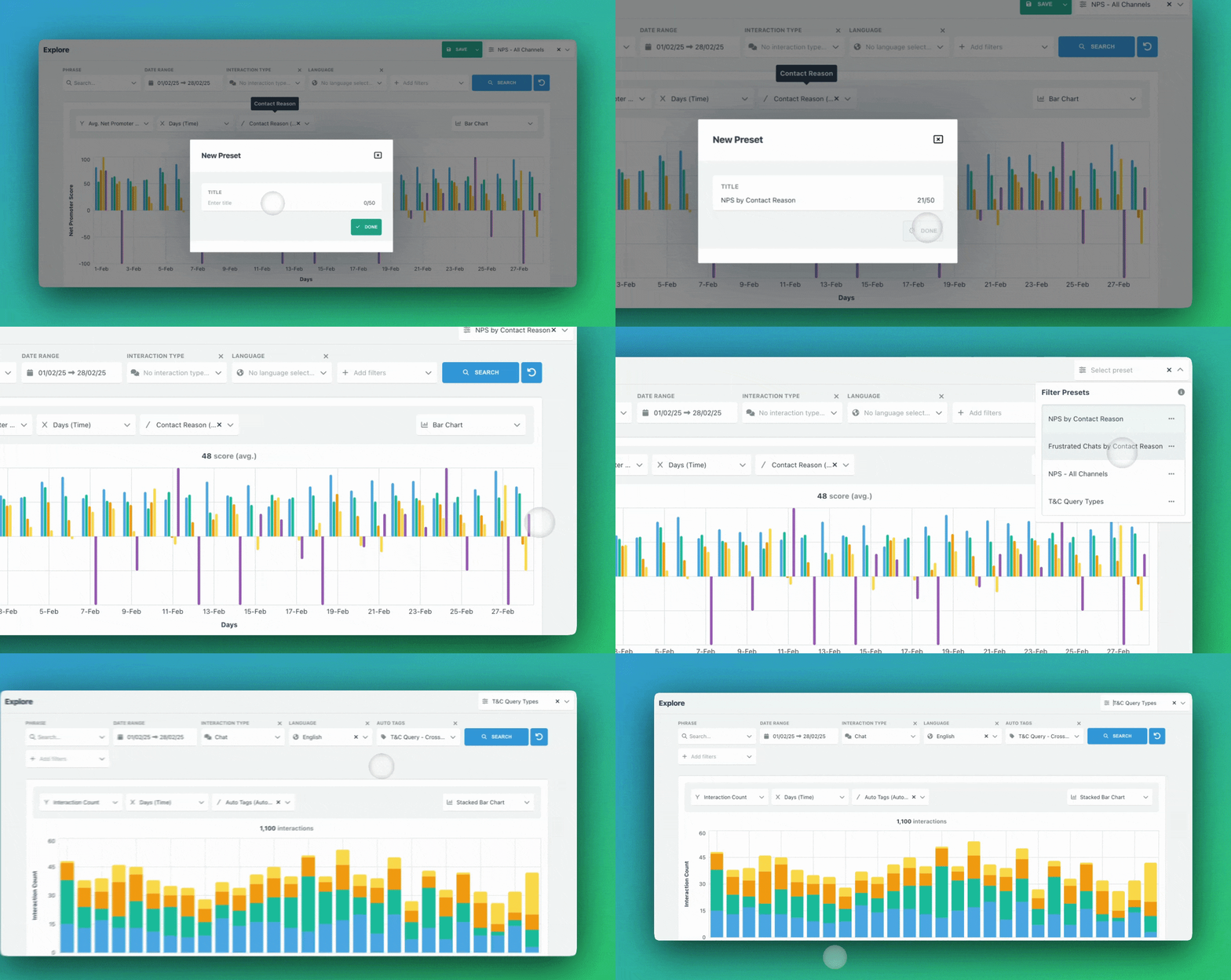
This preset helps track interactions lasting over 30 minutes, broken down by region on a weekly basis.

4. Break Down by Region – Add a breakdown by Region so the data is segmented accordingly.

5. View the Chart – You will now see a chart displaying interactions that lasted more than 30 minutes, categorised by region over a weekly basis.

This preset helps analyse where customer frustration is highest—calls, emails, or chats, over a weekly period.


Track how different teams are performing on NPS without rebuilding reports. Save a preset like “NPS by Team” to instantly spot trends, identify issues, and coach teams accordingly.
Monitor brand performance by creating a “Weekly Interactions by Brand” preset. This helps detect customer contact trends and identify what’s driving spikes.
Interactions per Brand for a Specific Team
For teams handling multiple brands, create a “Brand Interactions – [Team Name]” preset to compare how each team is managing conversations.
With Presets, you can spend less time setting up filters and more time acting on insights. This feature is available to all WatchTower users.
EdgeTier is now listed in Claude’s connector directory so you can connect from there in a couple of clicks instead
You can now see how every scorecard question was scored across a review period, so you can spot knowledge gaps
Every agent who touches a conversation gets tracked against it now, and you can widen filtering and reporting to match,


Afroditi Pina
Director of Customer Service
"It has reduced the time for the quality assurance process as it provides clear data and a very robust direction on where to look and what matters the most."


Giovane Nicolau Junior
Head of Operations Performance
"EdgeTier is really shining when it comes to responsible gambling. We can proactively track critical issues and take actions, reducing human error."


James Waghorn
Director of Customer Contact
"EdgeTier is no ordinary software product... It has completely changed how we work at CarTrawler."



Let us help your company go from reactive to proactive customer support.
Unlock AI Insights