
EdgeTier is now in Claude’s connector directory
EdgeTier is now listed in Claude’s connector directory so you can connect from there in a couple of clicks instead

We’ve now added an interface to allow you to visualise your AI tags within the EdgeTier platform. Here, you’ll be able to view how you’ve chosen to define your Contact Reason AI Tags with the EdgeTier team, as well as the tags performance. This page is a home for your Contact Reasons, and a first step to full self-service AI tagging in the interface.
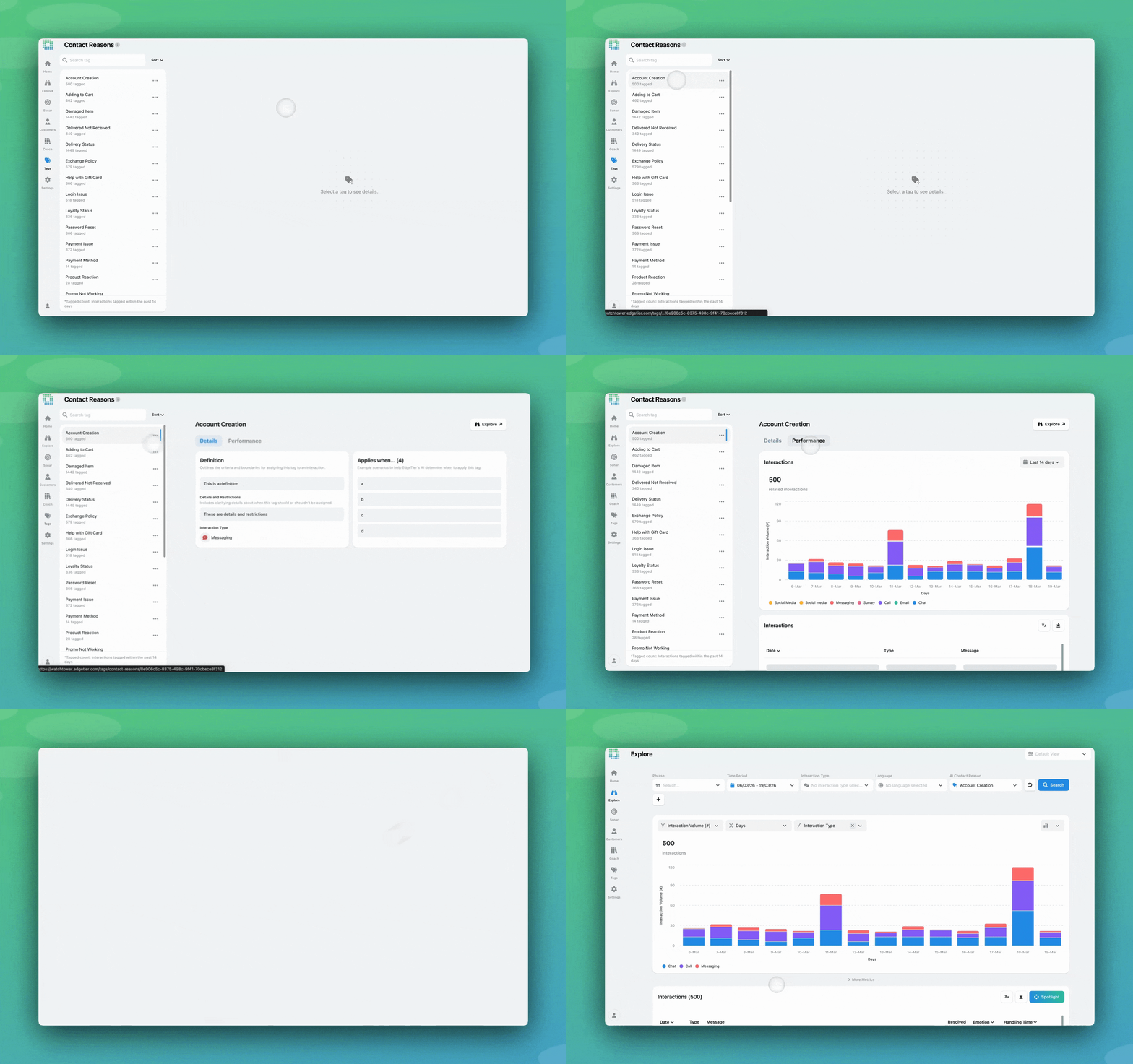
AI Contact Reason tagging is a large-language-model approach to understanding what happened in each interaction and automatically applying labels to classify them by intent. With AI Contact Reasons, every interaction is assigned a tag from a predefined list. This happens automatically and consistently. It’s designed to give you well-defined intent categories that are easier to explore and analyse to get the insights you need.
This feature was initially developed to provide a structured, automated way to categorise entire interactions without the need for manual selection or complex trigger setups.
Until now, this has been implemented through collaboration with EdgeTier’s team: you define your categorisation goals, and we create specialised tagging models to help you achieve them. You could always see these tags on your interactions across EdgeTier, but you could not visualise them or their underlying rules in any dedicated page.
We’ve now added an interface to allow any EdgeTier user in your organisation to view the Contact Reason categories being applied, so it’s easier to understand and trust the AI output.
This new page is a home for your Contact Reasons, and a first step to full self-service AI tagging in the interface. It allows you to view all categories and the definitions and use cases behind them.
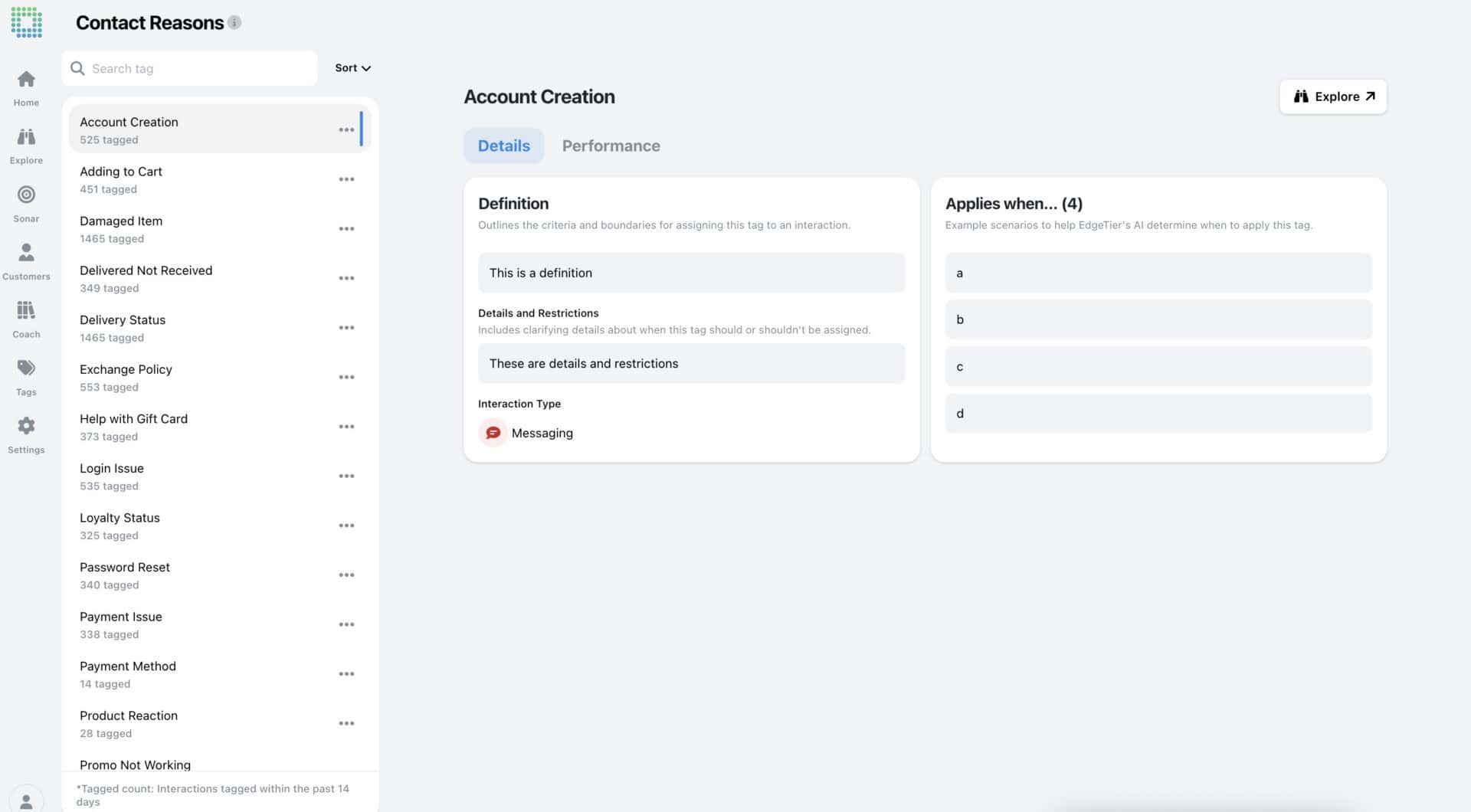
Click on any tag to see how it’s configured, and select the Performance tab to see which interactions it’s been applied to recently. The Explore button brings you to all tagged conversations in the Explore screen for further analysis.

Note: Undefined Topics also has its own view within Contact Reasons, so you can quickly see if your existing categories are giving you the coverage you need, or if a large volume of interactions are yet undefined.
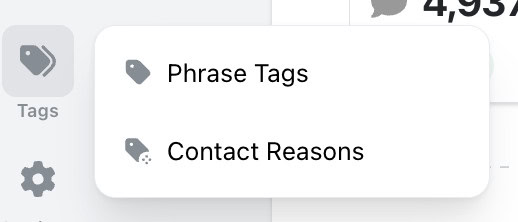
As part of this release, we’ve created a new ‘Tags’ section in the main EdgeTier navigation. The existing ‘Tags and Triggers’ page has moved here, creating a centralised hub for all tag management.
Coming soon: Tweak your setup and add new categories and definitions in the interface.
EdgeTier is now listed in Claude’s connector directory so you can connect from there in a couple of clicks instead
You can now see how every scorecard question was scored across a review period, so you can spot knowledge gaps
Every agent who touches a conversation gets tracked against it now, and you can widen filtering and reporting to match,


Debbie Duggan
Contract Manager for Customer Solutions
"We thought at the time that we were putting the customer at the fore. We thought we were doing things right. But in hindsight, we really weren’t because we had no real-time insights whatsoever into customer issues."


Quentin Bottner
Head of Continuous Improvement
"We’re a big business, so getting the right people to agree and fix something hasn’t always been easy. Now we’ve got one version of the truth—it’s much easier to align and act"


Afroditi Pina
Director of Customer Service
"It has reduced the time for the quality assurance process as it provides clear data and a very robust direction on where to look and what matters the most."



Let us help your company go from reactive to proactive customer support.
Unlock AI Insights