
Coaching without the digging: Question-level scoring across reviews
You can now see how every scorecard question was scored across a review period, so you can spot knowledge gaps

We've shipped two updates to allow you to more easily view and export your data. As part of our continuous focus on UX improvements, you will be able to view your custom chart in a table view, and follow call transcripts along with the recording.
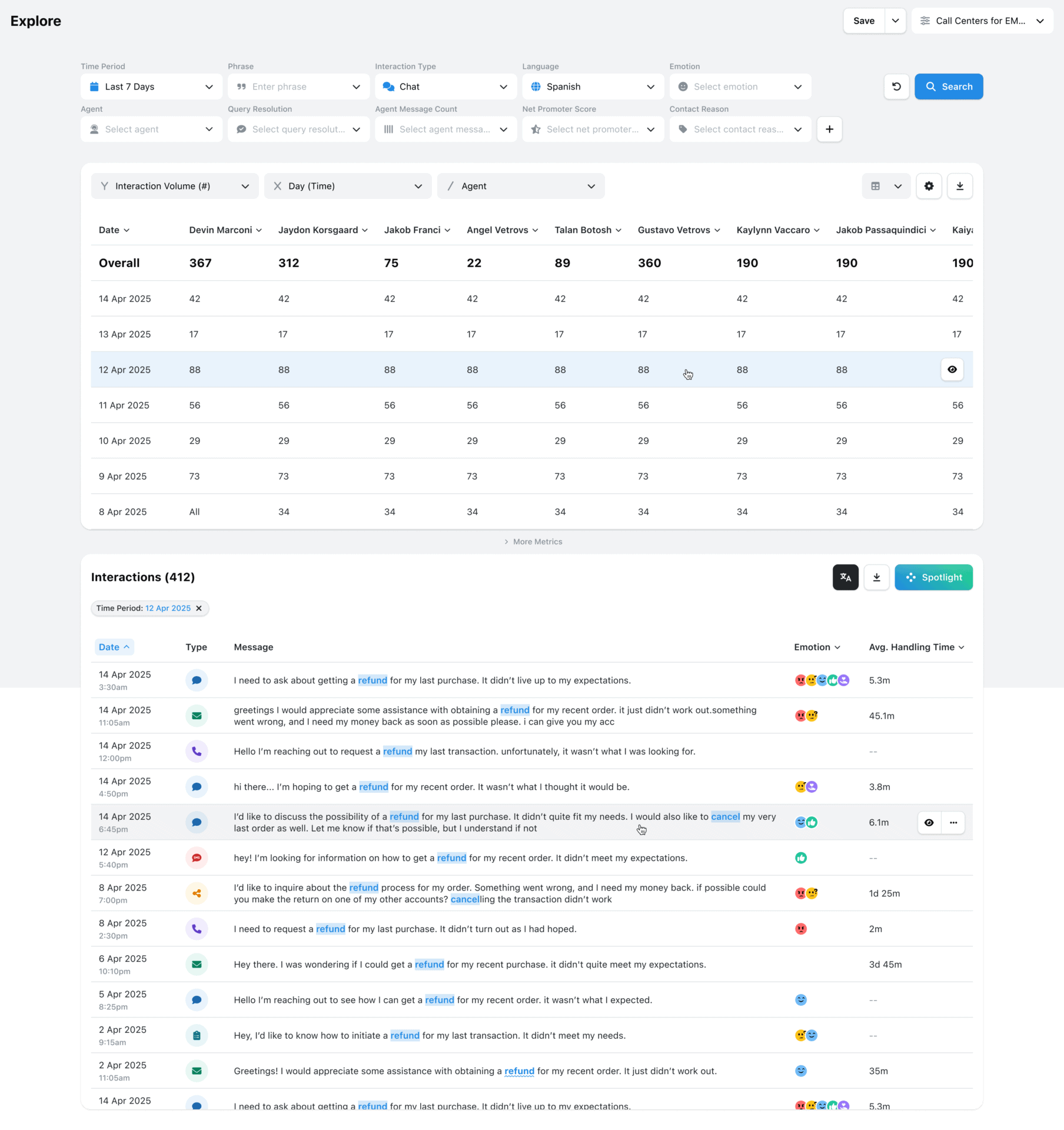
The EdgeTier Explore Custom Chart allows you to visualise all the interaction’s you’ve filtered for, and split your data even further, with complete control over the X and Y axis, as well as splits within these.
You may want to create a data view that is useful for you, and then export this for reporting purposes. We’ve added a table data view that can be exported to .CSV to do exactly this!
Interested in your interaction volumes over a specific subset of days, split by agent? We’ll generate the .CSV needed for you to show this data in a management report, or just to save to have on hand.
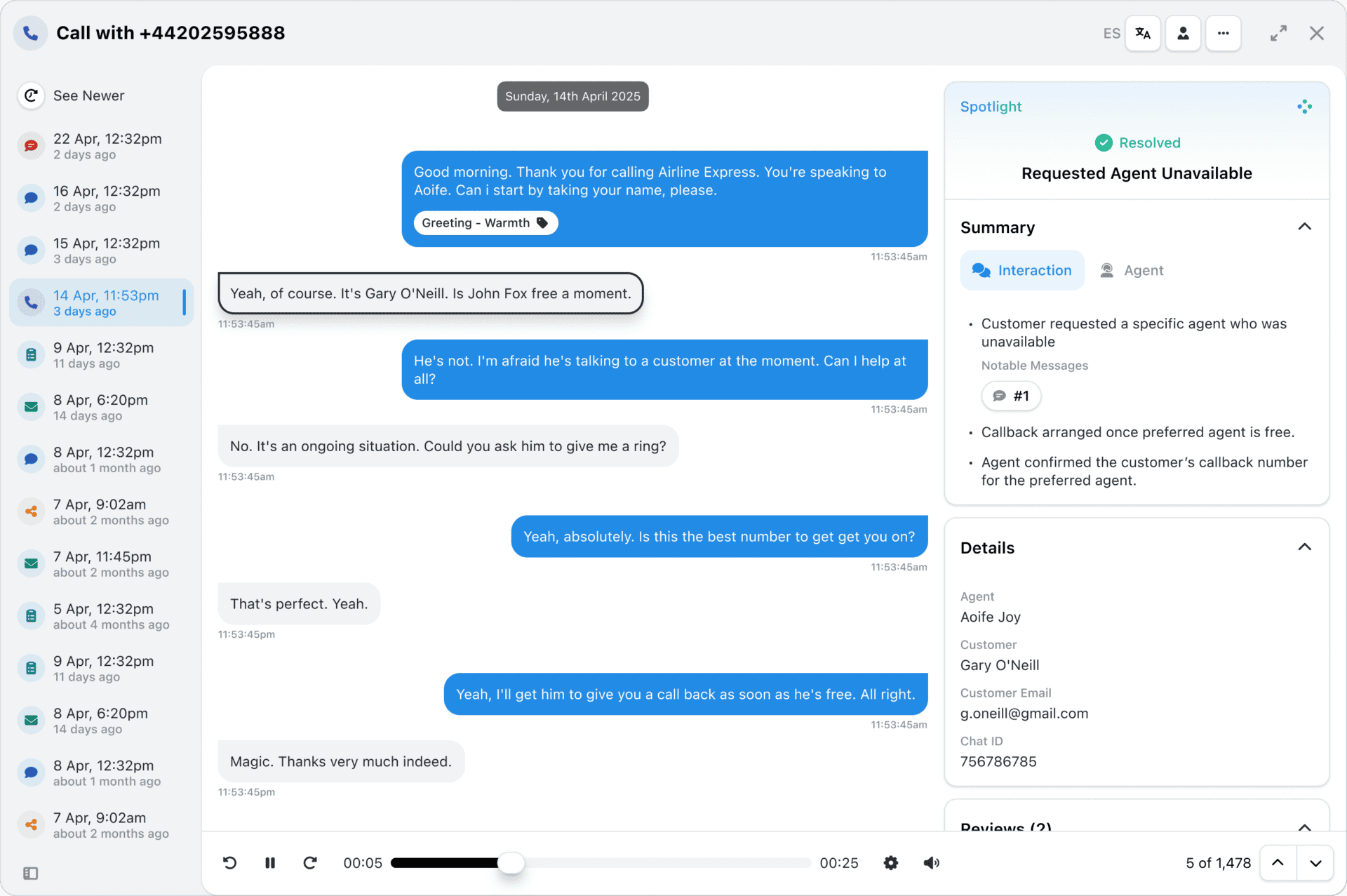
At EdgeTier, we ingest your call recordings and use AI to transcribe the interaction. You can already play the call recording alongside our transcription, but we’re adding new functionality to help you use our AI to spot-check important moments faster.
We’ve developed synchronised transcripts to give you control over what is important to you in a recording. When you play a recording, the transcript will automatically highlight text as it occurs in the recording, helping you follow along and spot key signals such as frustration.
You’ll also be able to hover over a message, and press play. The recording will then jump to that interaction, if you need to quickly assess that specific moment.
You can now see how every scorecard question was scored across a review period, so you can spot knowledge gaps
Every agent who touches a conversation gets tracked against it now, and you can widen filtering and reporting to match,
You're now able to drop reusable variables into an Ask Spotlight prompt, so you don't have to retype the same


Deborah Guivisdalsky
COO
"We now have highly detailed understanding of agent performance, not just on key agent metrics, but also on how customers react to our agents and the emotions of our customers feel when talking to our team."


Giovane Nicolau Junior
Head of Operations Performance
"EdgeTier is really shining when it comes to responsible gambling. We can proactively track critical issues and take actions, reducing human error."


Nick Brazitis
Global Customer Care Manager
"The anomaly feature is a game changer for us. It’s highly accurate and has helped us identify customer issues, agent errors, and even fraud that would have taken us longer to catch."



Let us help your company go from reactive to proactive customer support.
Unlock AI Insights