
Small Changes, Less Friction: Clearer Filters, Clearer Charts and Easier User Management
This update brings together smaller improvements based on feedback from people who use EdgeTier every day: an improved customer satisfaction

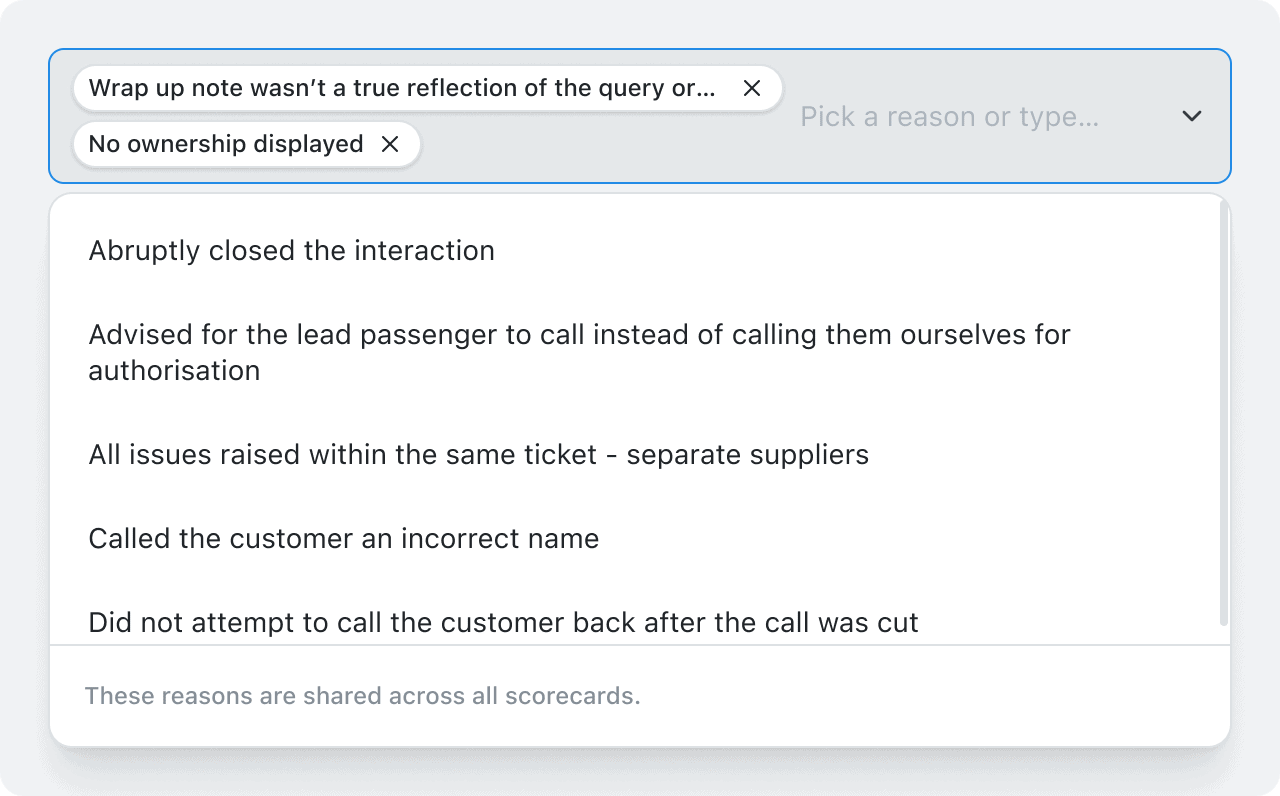
You can now attach a set list of reasons to any answer option on a scorecard, so reviewers pick from consistent options instead of retyping the same explanation in free text.
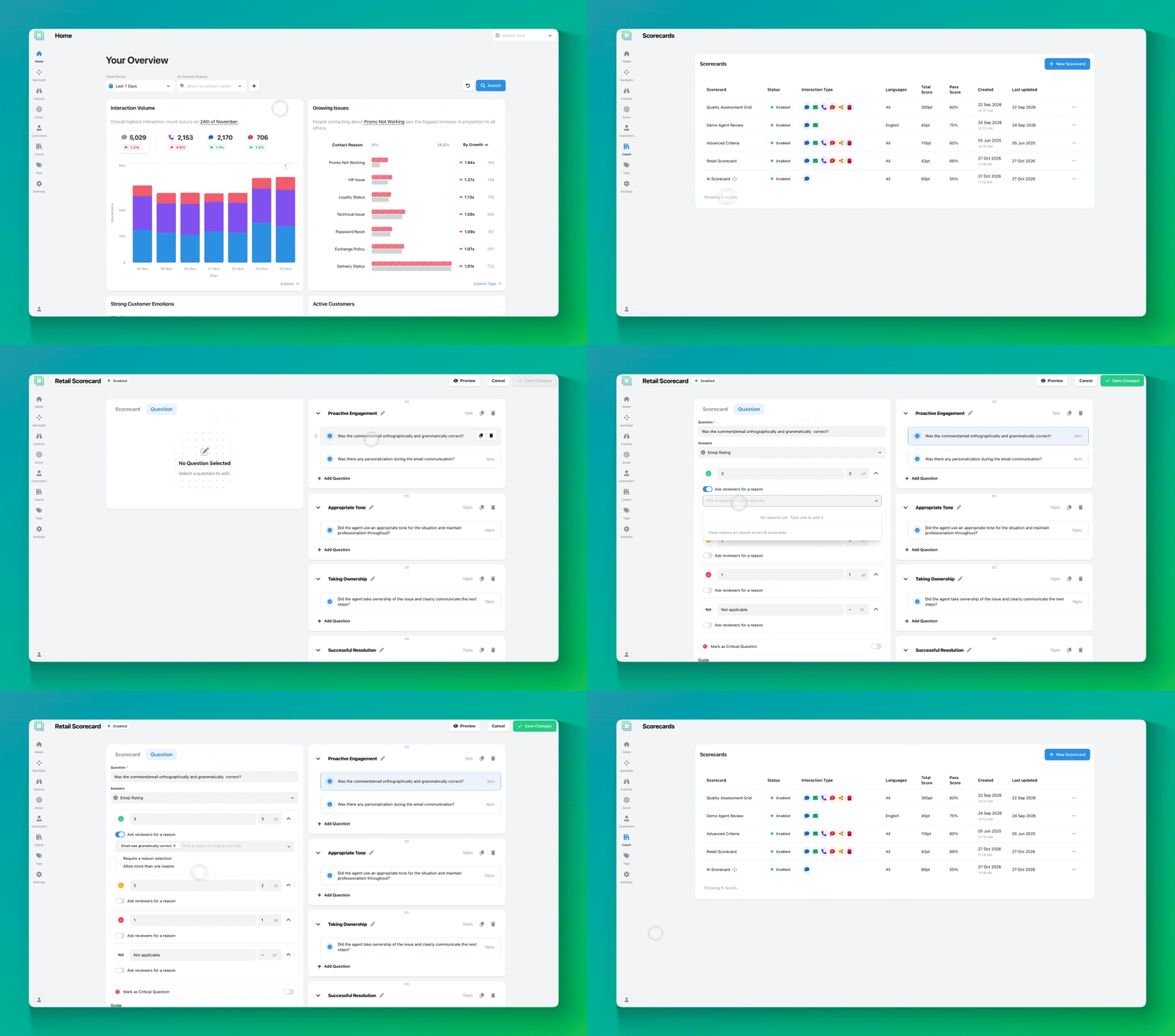
Free-text comments capture reasoning, but every reviewer words it differently. Two reviewers describing the same problem leave two different notes, and the explanation an agent gets depends on who happened to review them.
Reasons fix that. When you build a scorecard, you can expand any answer option and attach reasons to it: the specific explanations that sit behind that score. Reviewers then pick from those reasons as they work.
Free-text comments haven’t gone anywhere. Reasons handle the recurring explanations, and comments still cover everything specific to one interaction.

To set reasons up:
Setting up reasons is available to users with Manage Scorecards permissions. Reviewers don’t need any extra access: once reasons are attached, they appear automatically while reviewing.
Alongside reasons, we’ve cut down on unnecessary scorecard versions. Until now, every save created a new version, even a name change. Now a new version is only created when you change how reviews are scored: questions, answer options or points, the pass mark, interaction types or languages. Changing the scorecard’s name, whether agents can request a revision, or its AutoQA configurations keeps the current version.
A compliance question with a controlled set of failure reasons. “Did the agent follow GDPR?” has No attached to a required, single-select set of reasons: Only one form of ID checked, Account details disclosed before verification, Card details read aloud. Every failure is categorised the same way by every reviewer, and the agent sees exactly which step they missed.
Understanding partial credit. “Was the issue resolved?” scored Partially is the hardest result to act on, because it’s the one most likely to mean different things to different reviewers. Attach reasons like Called back within 24 hours with the same issue or Resolved but outside SLA and the ambiguity disappears.
Explaining an N/A. “Was the complaint escalation procedure followed?” gets answered N/A a lot. Attach a reason like No complaint was raised during this interaction to N/A, and it’s clear the question was skipped for a good reason rather than overlooked.
If you have questions or feedback, reach out to your Customer Success contact.
This update brings together smaller improvements based on feedback from people who use EdgeTier every day: an improved customer satisfaction
You can now turn your Ask Spotlight questions into reusable templates, either by saving them from the chat or by
This update brings together smaller improvements based on feedback from people who use EdgeTier every day: a dark theme, multi-language


Deborah Guivisdalsky
COO
"We now have highly detailed understanding of agent performance, not just on key agent metrics, but also on how customers react to our agents and the emotions of our customers feel when talking to our team."


Giovane Nicolau Junior
Head of Operations Performance
"EdgeTier is really shining when it comes to responsible gambling. We can proactively track critical issues and take actions, reducing human error."


Quentin Bottner
Head of Continuous Improvement
"We’re a big business, so getting the right people to agree and fix something hasn’t always been easy. Now we’ve got one version of the truth—it’s much easier to align and act"



Let us help your company go from reactive to proactive customer support.
Unlock AI Insights