Ask Spotlight: How to Interrogate Your Customer Analytics
Most Ask Spotlight conversations run to about two messages. The longest one we found ran to forty-eight. Both can be
This release includes some helpful additions to help identify any potential issues in the chat queue through Live Chat Warnings. A new button and improved email details will allow agents to see more email information with Email Information Enhancements. Chats and emails can be re-skilled with the new Change Skill functionality from the search screen. An…


This release includes some helpful additions to help identify any potential issues in the chat queue through Live Chat Warnings. A new button and improved email details will allow agents to see more email information with Email Information Enhancements. Chats and emails can be re-skilled with the new Change Skill functionality from the search screen. An optional note may be left now when changing skill on chats/emails (Change Skill Note). Shortcuts are now suggested on the chat and email screens through tooltips (Shortcut Tooltips).
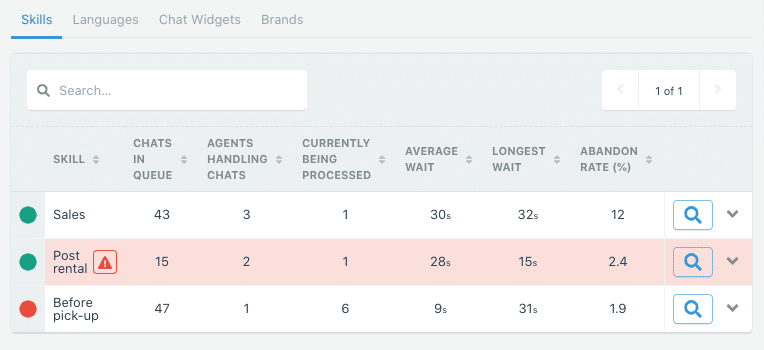
Occasionally things can get stuck in your chat queue. At times you may not have the right agents available to handle certain skills or languages. Previously it could be difficult to diagnose these issues. Now on the “Chat Queue” screen, the table displaying the queue by skill, language, brand, or widget will display warnings to indicate something may need to be addressed.
On the email screen, emails are displayed as plain text. Occasionally, this can cause issues where a part of the email is not clear or could be missing some information. With this update, a new “View Original” button will open the original formatted email in a pop-up. This button is also available on the search screen. We now also show more email addresses so agents can determine the inbox of the query.
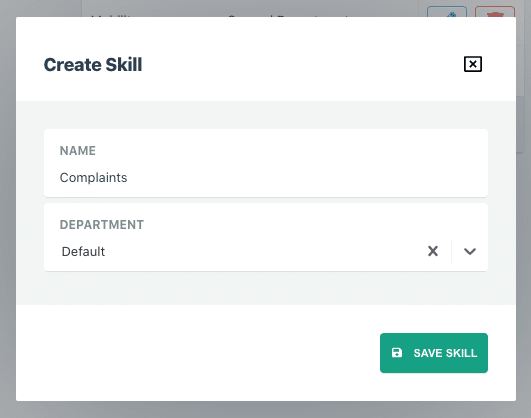
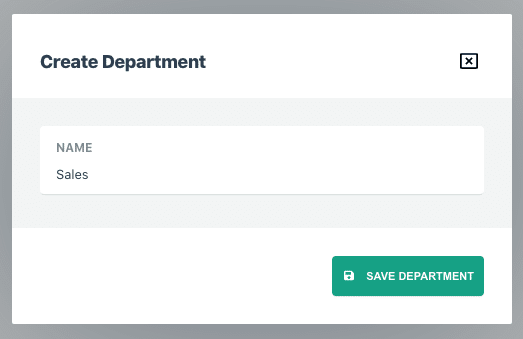
Administrators and Team Leads now have the ability to change the skill of a chat or email from the search screen. This may be useful when an interaction needs to be re-routed to a different department.
In the last update we added notes so that users can leave further details about an interaction. We have noticed that agents frequently like to leave a note when they’re changing the skill of a chat or email. This can help give context as to why the skill is being changed or be used to insert any information the original agent may have already looked up. To speed up this process, we’ve added a input box to leave a note on the change skill pop-up on the chat, email, and search screen.
To help agents discover the shortcuts we recently added, buttons that have shortcuts now show a tooltip.
Most Ask Spotlight conversations run to about two messages. The longest one we found ran to forty-eight. Both can be
Learn how we evaluated EventBridge, Kinesis, SNS, and SQS FIFO to build a secure, ordered, multi-tenant events API architecture on
Contact centres don't lack data, they lack fast answers. This guide compares the 10 best call center analytics software platforms


James Waghorn
Director of Customer Contact
"EdgeTier is no ordinary software product... It has completely changed how we work at CarTrawler."


Afroditi Pina
Director of Customer Service
"It has reduced the time for the quality assurance process as it provides clear data and a very robust direction on where to look and what matters the most."


Robert Davies
Consultant
"You’ve got an issue, but you don’t know how many people are affected. You don’t know the scale. You don’t even know if it’s real."



Let us help your company go from reactive to proactive customer support.
Unlock AI Insights