
Q1 Roundup: What’s new in 2026
We've had a busy start to 2026! We wrote a full roundup, click the button below to read more.

We’ve now added an interface to allow you to visualise your AI tags within the EdgeTier platform. Here, you’ll be able to view how you’ve chosen to define your Contact Reason AI Tags with the EdgeTier team, as well as the tags performance. This page is a home for your Contact Reasons, and a first step to full self-service AI tagging in the interface.
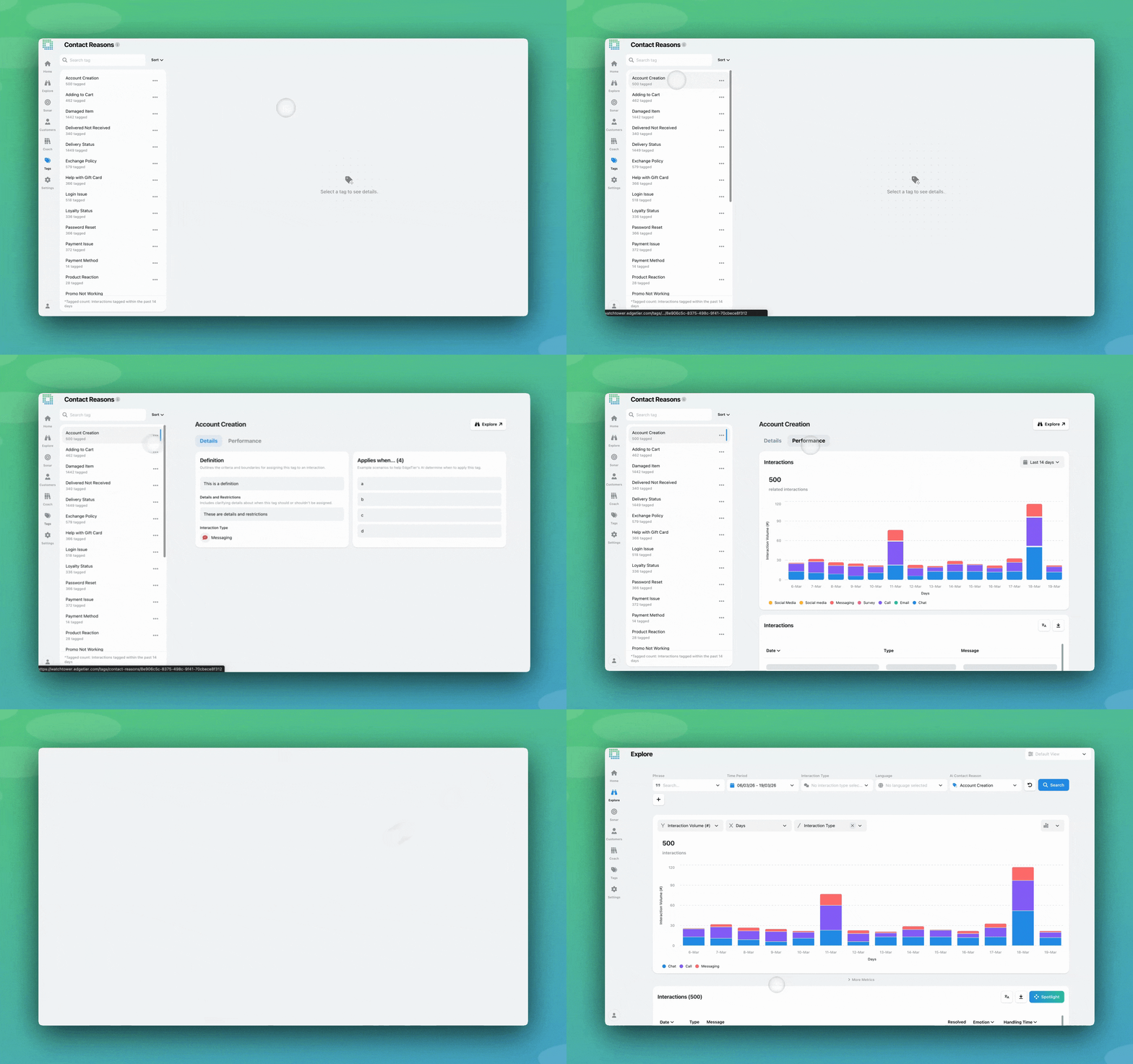
AI Contact Reason tagging is a large-language-model approach to understanding what happened in each interaction and automatically applying labels to classify them by intent. With AI Contact Reasons, every interaction is assigned a tag from a predefined list. This happens automatically and consistently. It’s designed to give you well-defined intent categories that are easier to explore and analyse to get the insights you need.
This feature was initially developed to provide a structured, automated way to categorise entire interactions without the need for manual selection or complex trigger setups.
Until now, this has been implemented through collaboration with EdgeTier’s team: you define your categorisation goals, and we create specialised tagging models to help you achieve them. You could always see these tags on your interactions across EdgeTier, but you could not visualise them or their underlying rules in any dedicated page.
We’ve now added an interface to allow any EdgeTier user in your organisation to view the Contact Reason categories being applied, so it’s easier to understand and trust the AI output.
This new page is a home for your Contact Reasons, and a first step to full self-service AI tagging in the interface. It allows you to view all categories and the definitions and use cases behind them.
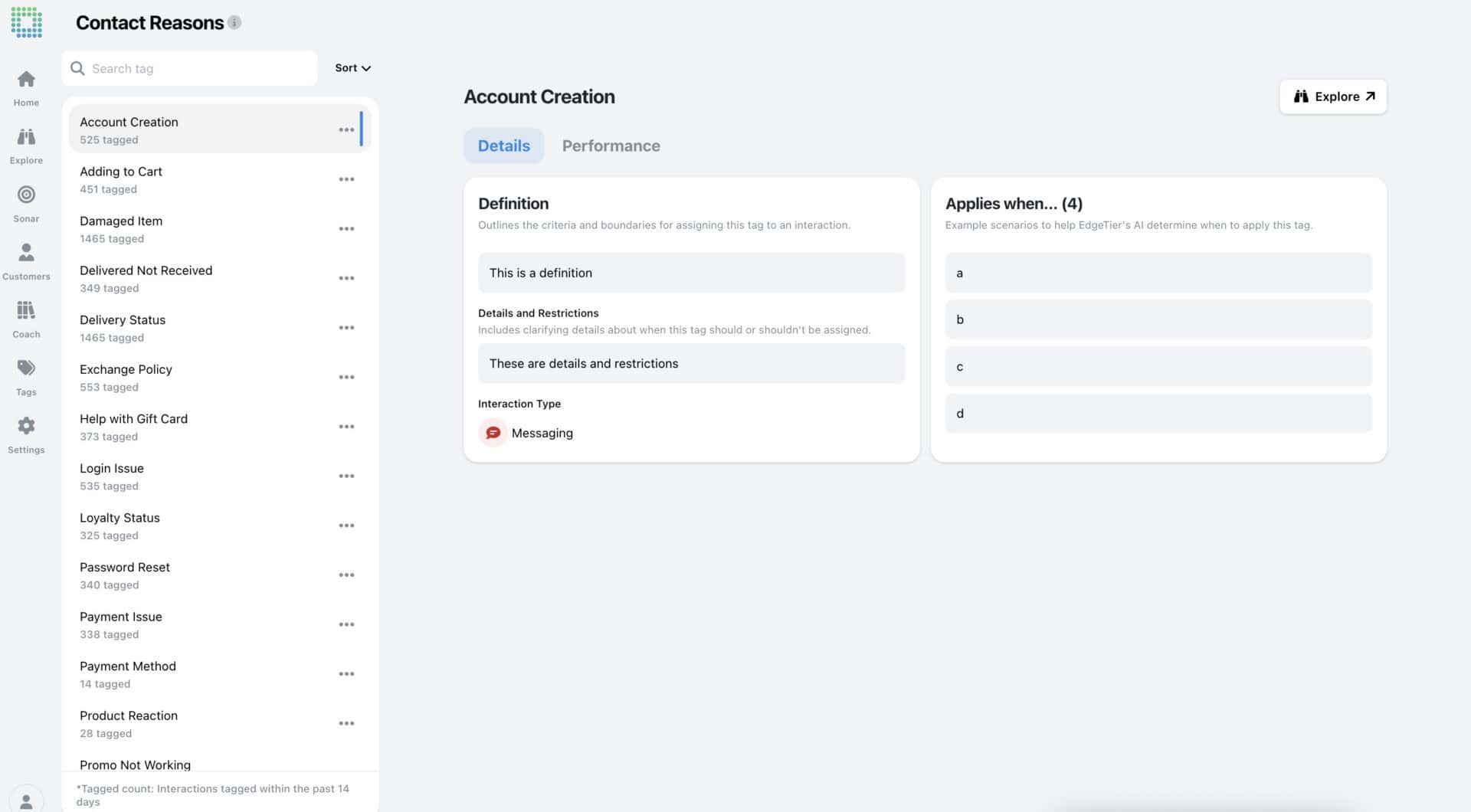
Click on any tag to see how it’s configured, and select the Performance tab to see which interactions it’s been applied to recently. The Explore button brings you to all tagged conversations in the Explore screen for further analysis.

Note: Undefined Topics also has its own view within Contact Reasons, so you can quickly see if your existing categories are giving you the coverage you need, or if a large volume of interactions are yet undefined.
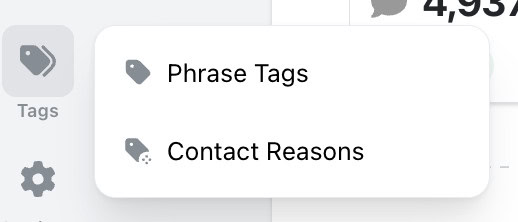
As part of this release, we’ve created a new ‘Tags’ section in the main EdgeTier navigation. The existing ‘Tags and Triggers’ page has moved here, creating a centralised hub for all tag management.
Coming soon: Tweak your setup and add new categories and definitions in the interface.
We've had a busy start to 2026! We wrote a full roundup, click the button below to read more.
Up until now, any new phrase tags were only added to interactions that occurred after the tag was created or
Exporting a .CSV of your data from EdgeTier allows you to use that data in reporting and presentations, to share


Quentin Bottner
Head of Continuous Improvement
"We’re a big business, so getting the right people to agree and fix something hasn’t always been easy. Now we’ve got one version of the truth—it’s much easier to align and act"


Nick Brazitis
Global Customer Care Manager
"The anomaly feature is a game changer for us. It’s highly accurate and has helped us identify customer issues, agent errors, and even fraud that would have taken us longer to catch."


Robert Davies
Consultant
"You’ve got an issue, but you don’t know how many people are affected. You don’t know the scale. You don’t even know if it’s real."



Let us help your company go from reactive to proactive customer support.
Unlock AI Insights