
Better Insights: Synced Transcripts & Easy Exports
We've shipped two updates to allow you to more easily view and export your data. As part of our continuous

Alongside other interaction analytics, our platform now provides you with resolution tags, to see how well support interactions are being handled.
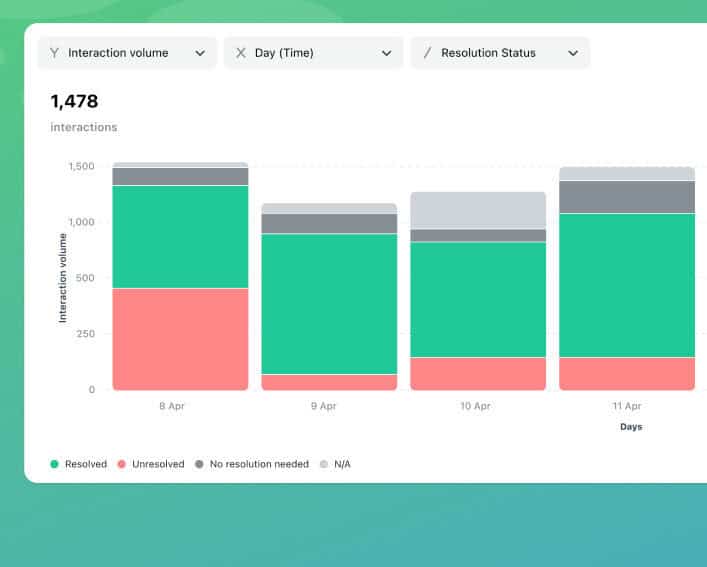
EdgeTier analyses every message and utterance from customers for emotion and sentiment. As part of this, our platform now detects an interaction’s resolution status. This LLM-powered feature can identify whether a customer’s query was resolved based on signals within the conversation.
Resolution status will be a new filter within EdgeTier. You will be able to filter for resolved or unresolved conversations, providing another powerful data-split to manage agent quality and identify problematic interactions or topics.
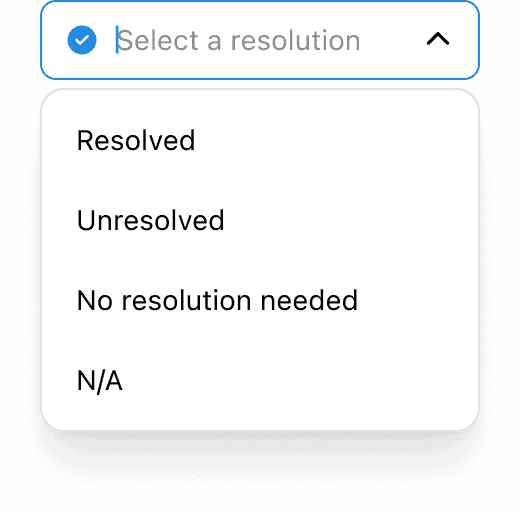
Our model will use an AI-powered “resolution” tag that helps our clients see how well their support interactions are being handled. There will be four main states for interactions:
Resolution can provide insights into how well agents are able to answer queries on certain topics, as well as assisting with agent QA for specific issues.
Interested in a chart demonstrating immediately which issue agents struggle to resolve? By splitting explore charts by resolution status, you can immediately identify a broad trend around resolution, and use it to guide agent training. Similarly, you can quickly identify what topics individual agents struggle with, and also quickly check if an individual interaction is resolved as part of Spotlight Summaries.
Use the “Resolution > Resolved” filter on the Explore, ExploreTags or Agents screen to find conversations marked as resolved.
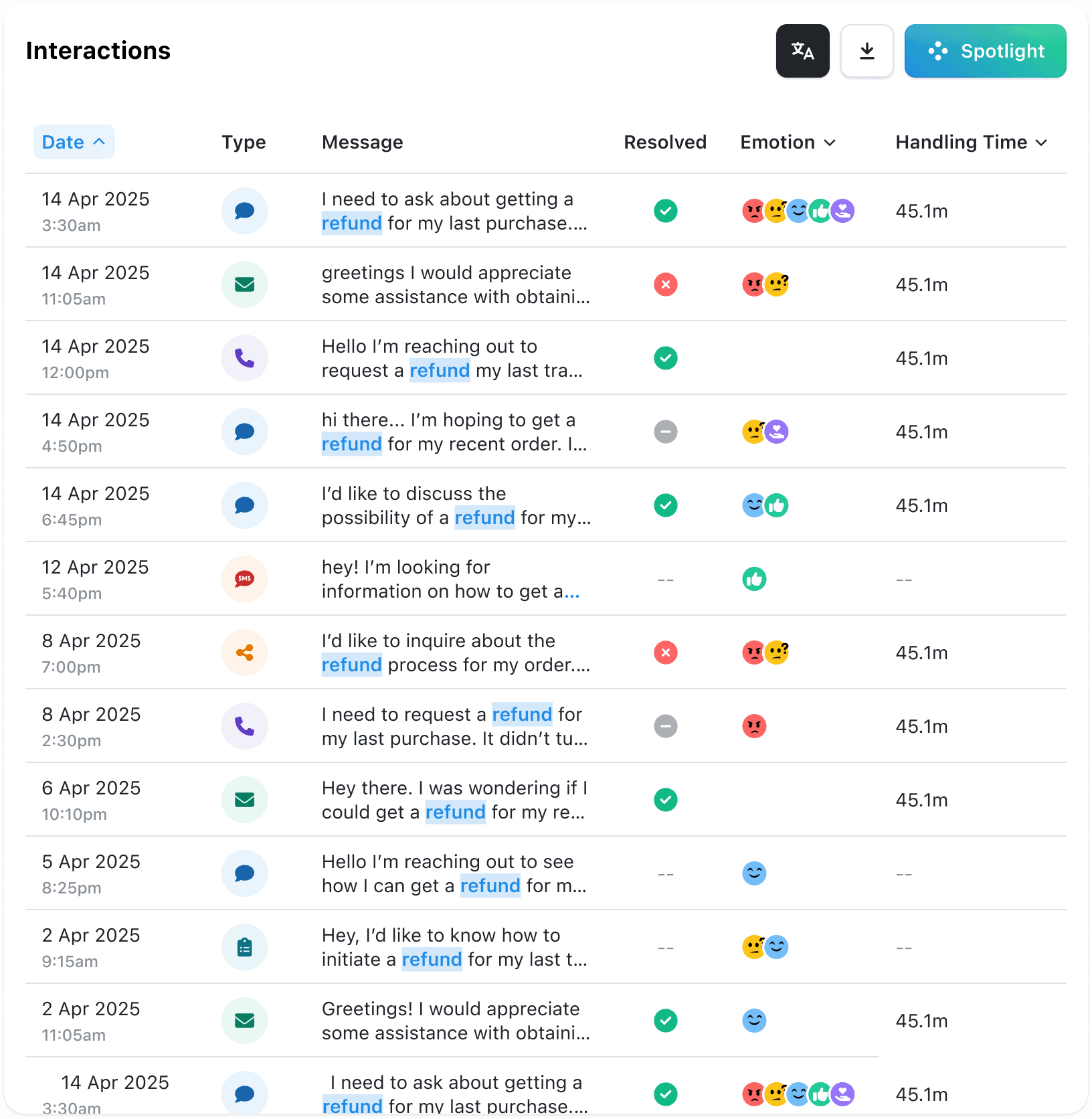
You will also find a ‘Resolved’ column next to the ‘Emotion’ column within Interactions, to see the status of individual interactions.
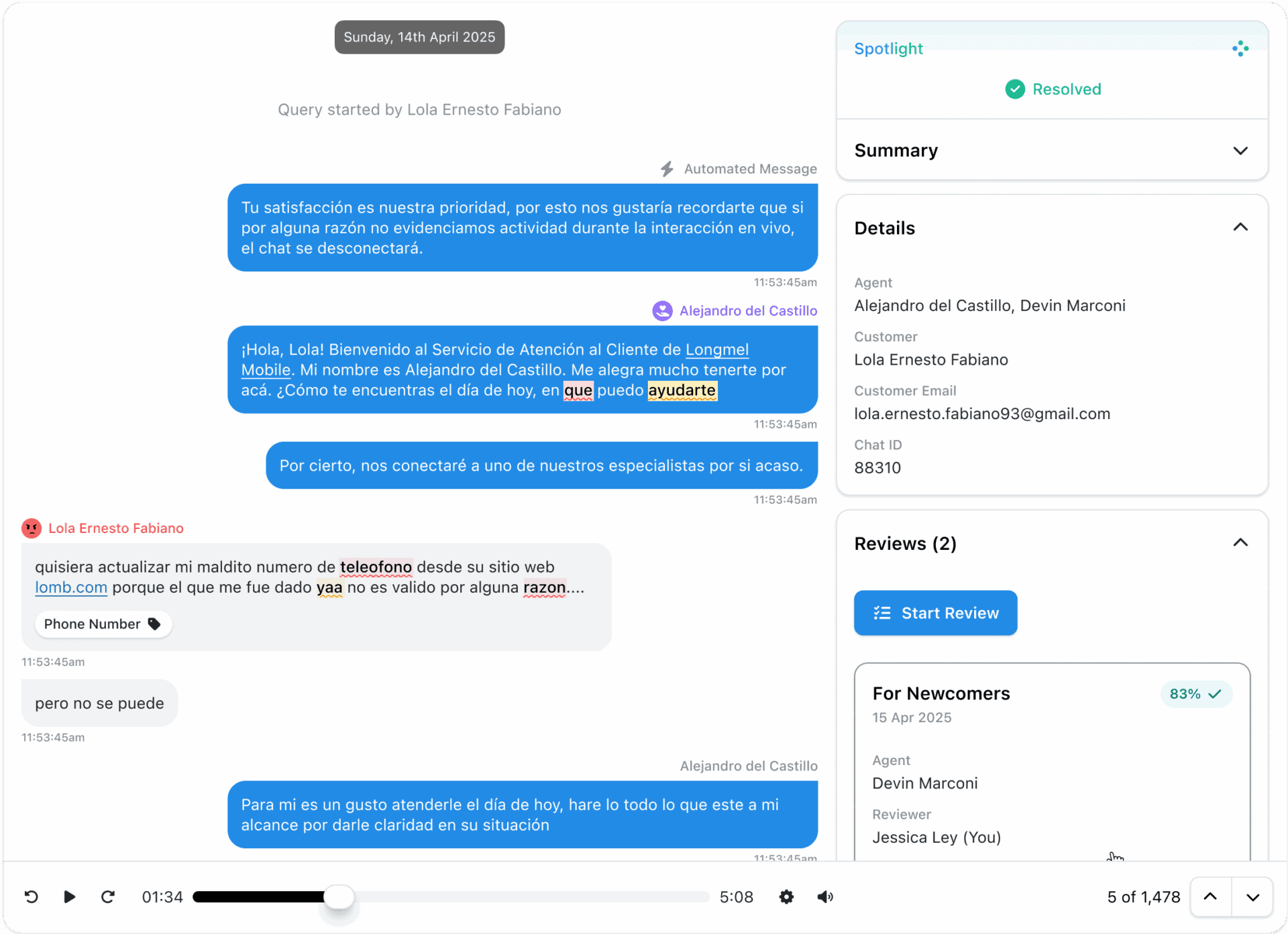
As part of Spotlight summaries, you will now see if the conversation was resolved.
A new column on the Overview tab on the Agents or Explore Tags screens includes resolution metrics, so you can see the percentage of conversations that were resolved, broken down by tag group.
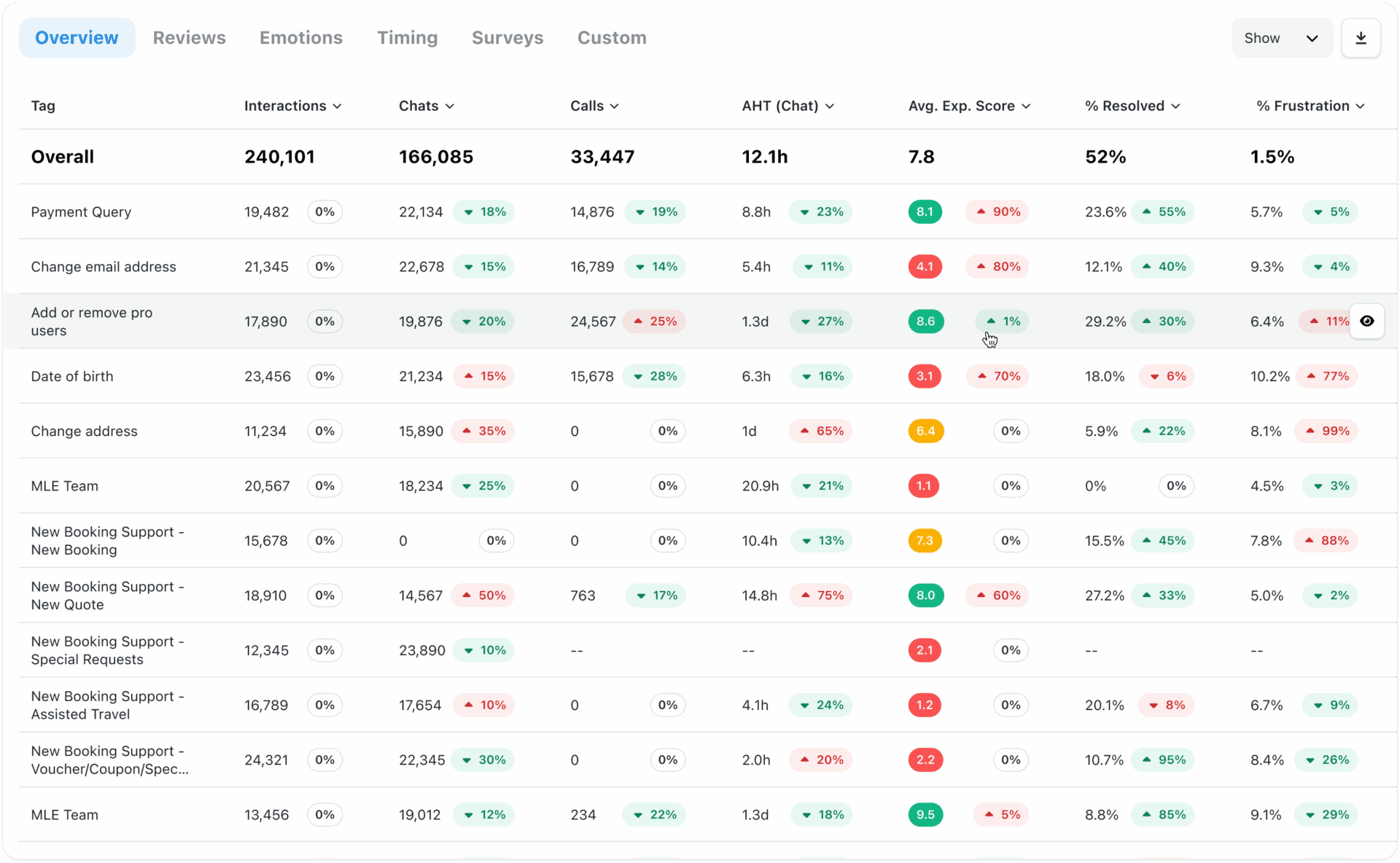
In an upcoming release, you will also have the ability to split charts by resolution status, providing an instant view of how agents are performing.
This is available for all WatchTower users with Explore and Coach access.
We've shipped two updates to allow you to more easily view and export your data. As part of our continuous
We’ve shipped a set of improvements to Spotlight that significantly increase the number of conversations it can analyse in a
We've added some metric updates to our custom charts and agent screens, to provide you with even better insights into


Afroditi Pina
Director of Customer Service
"It has reduced the time for the quality assurance process as it provides clear data and a very robust direction on where to look and what matters the most."


Debbie Duggan
Contract Manager for Customer Solutions
"We thought at the time that we were putting the customer at the fore. We thought we were doing things right. But in hindsight, we really weren’t because we had no real-time insights whatsoever into customer issues."


Quentin Bottner
Head of Continuous Improvement
"We’re a big business, so getting the right people to agree and fix something hasn’t always been easy. Now we’ve got one version of the truth—it’s much easier to align and act"



Let us help your company go from reactive to proactive customer support.
Unlock AI Insights