
Metric Updates – Hide Others & Agent Resolution Rate
We've added some metric updates to our custom charts and agent screens, to provide you with even better insights into

We’ve officially launched the new Scorecard Builder for Agent QA — making it easier than ever to build, update, and manage scorecards directly in the platform, no spreadsheet required.
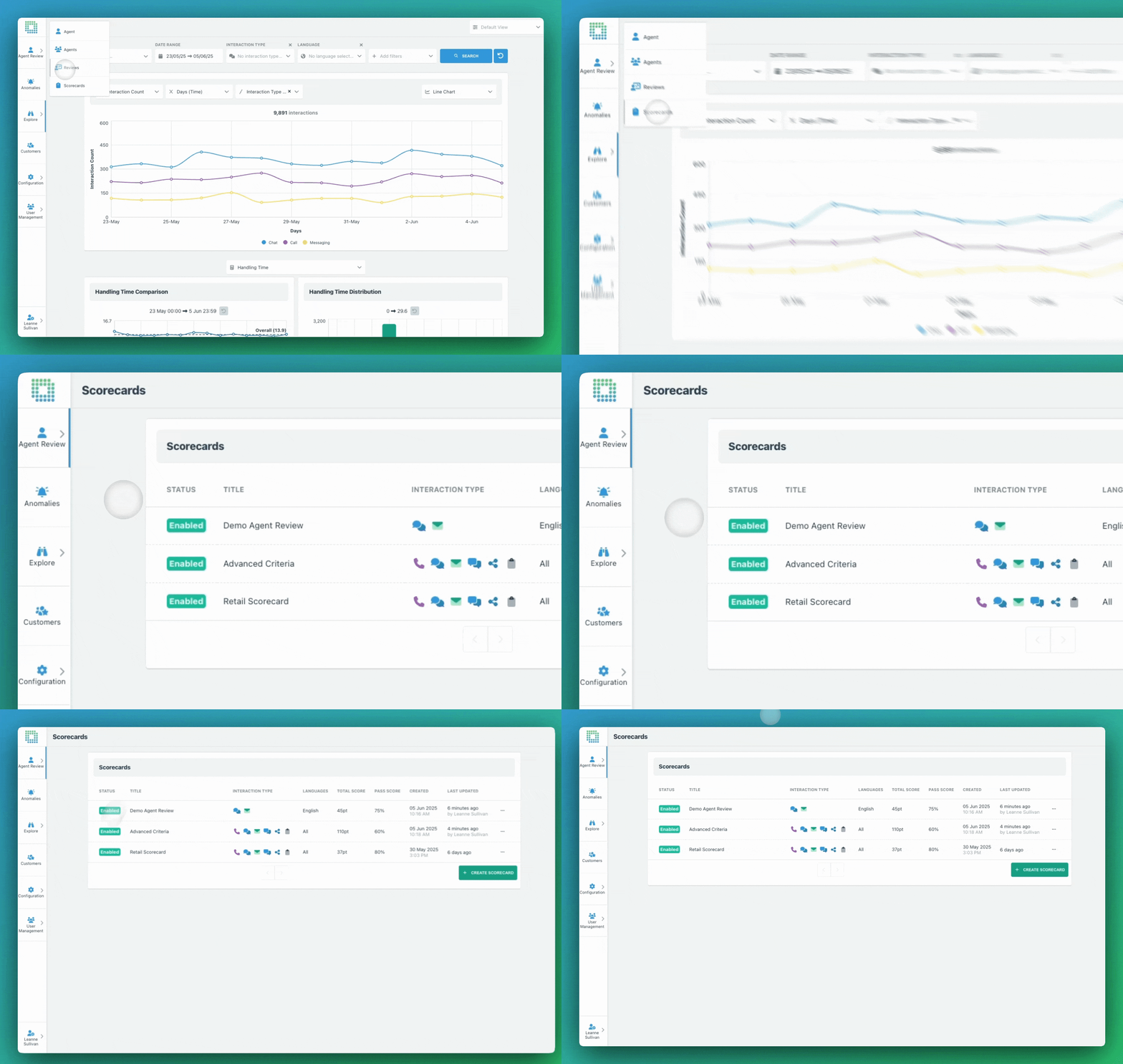
Whether you’re creating your first evaluation form or maintaining a complex scoring model across multiple teams, the new Scorecard Builder gives you more control, flexibility, and visibility.
✅ Create and manage scorecards in the UI
No more managing your criteria through spreadsheets and manual uploads. You can now build scorecards directly in EdgeTier, section by section, question by question — all with a live preview of what reviewers will see.
(Note: This includes viewing and editing your current scorecards, if you’re already using the Agent Review features.)

✅ Access new question types
You’re no longer limited to emoji-based ratings. Now you can choose from:

✅ Edit sections and point values
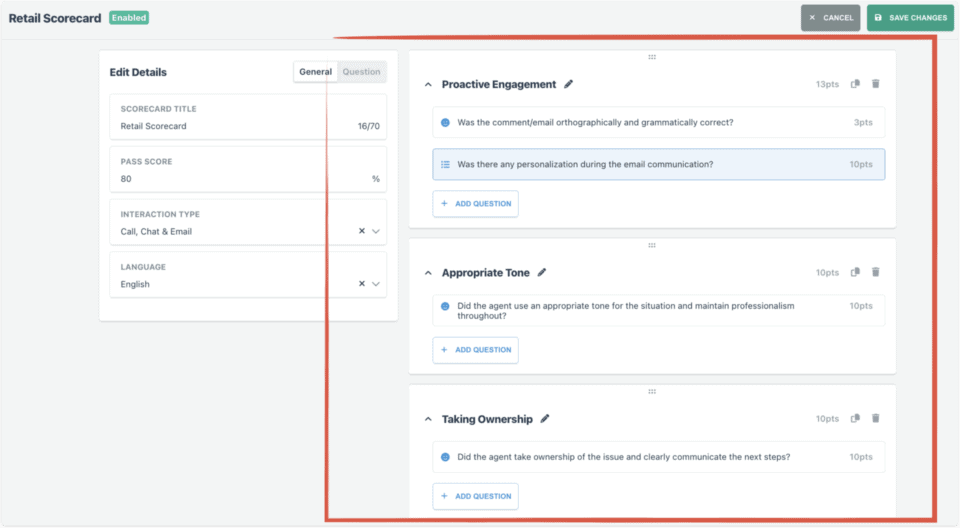
Structure your scorecards with clear sections and set custom point values per answer, giving you complete flexibility in how evaluations are weighted and scored. (Note: Questions marked as ‘N/A’ will be discounted – they will not harm nor benefit the agent’s total score.)
✅ Drag and drop layout
Reorder sections and questions with a simple drag-and-drop interface, and preview the scorecard in real time before publishing.
✅ Add optional reviewer guidelines
Need to give reviewers more context? Add longer guidelines that appear only on hover, to help standardise evaluations without cluttering up the scorecard.

✅ Set a pass threshold for each scorecard
Define what counts as a pass or fail for each scorecard by percentage, so that reporting stays clear and consistent. This enables you to filter for passed or failed evaluations in the system and see a pass rate over time or per team.
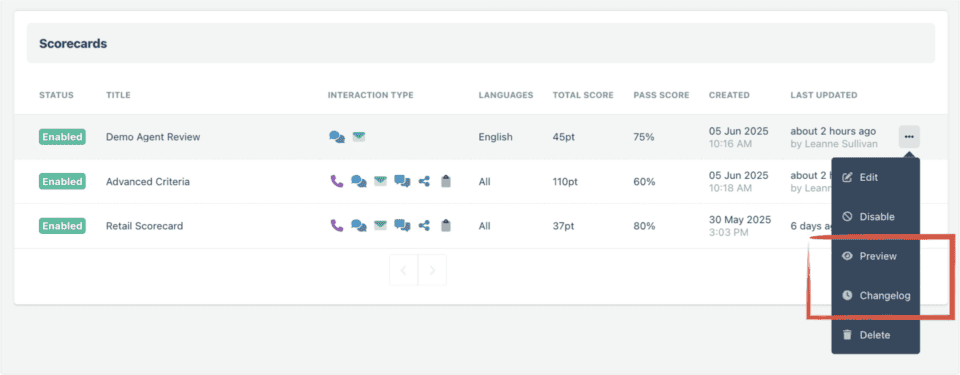
✅ Scorecard Preview and change tracking
Preview your edits to see how the scorecard will look, and view a built-in changelog so you can:
These changes make it faster to build great scorecards, easier to collaborate with your QA team, and safer to tweak questions and criteria without breaking anything already in place.
If you’re already using our Agent QA Reviews features, this upgrade is live in your account now.
Not using Reviews yet? Get in touch with your Customer Success Manager, and we’ll help you get started.
We've added some metric updates to our custom charts and agent screens, to provide you with even better insights into
We’ve added even more permissions-based features to enable a better AgentQA experience in WatchTower.
Alongside other interaction analytics, our platform now provides you with resolution tags, to see how well support interactions are being


Afroditi Pina
Director of Customer Service
"It has reduced the time for the quality assurance process as it provides clear data and a very robust direction on where to look and what matters the most."


James Waghorn
Director of Customer Contact
"EdgeTier is no ordinary software product... It has completely changed how we work at CarTrawler."


Giovane Nicolau Junior
Head of Operations Performance
"EdgeTier is really shining when it comes to responsible gambling. We can proactively track critical issues and take actions, reducing human error."



Let us help your company go from reactive to proactive customer support.
Unlock AI Insights