
Unlock insights faster: Applying phrase tags to past interactions
Up until now, any new phrase tags were only added to interactions that occurred after the tag was created or

We've added some metric updates to our custom charts and agent screens, to provide you with even better insights into your CX data.
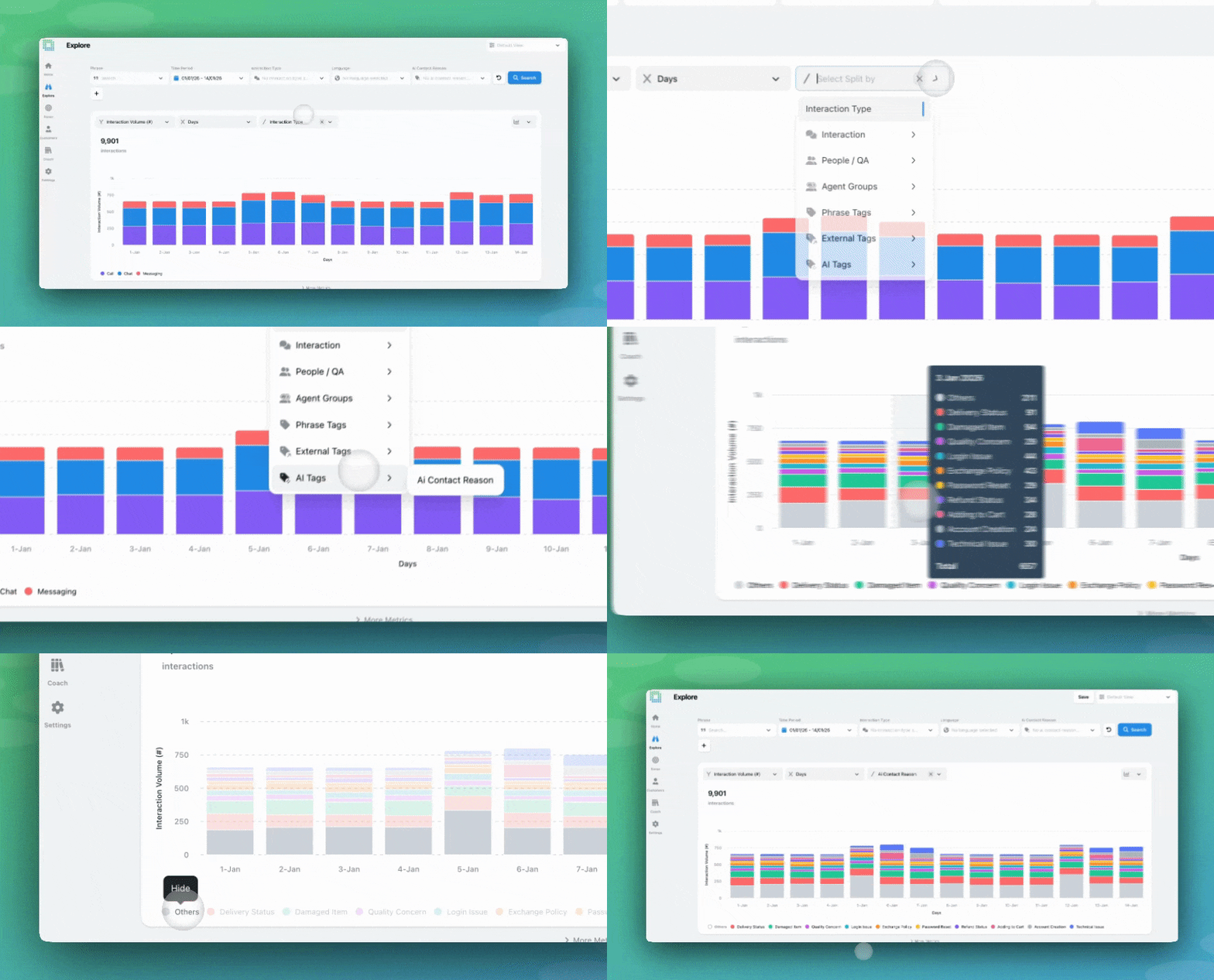
When EdgeTier sorts your tags into split-by categories, we display your top-ten tags, and sort the rest into ‘Others’.
‘Others’ may not always be useful for you, so we’ve added the ability to toggle ‘Others’ out of your split-by graph! This will allow you to see not just the total count of interactions for all your tag categories, but also how many of your interactions fall within the top-ten.
You may notice that opting to toggle out ‘Others’ changes certain chart total metrics, like ‘Resolved Interactions (%)’. We have an in-depth explanation of the calculations associated with this in our documentation here.
This feature is available to all users with Explore visibility.
Our resolution rate metric has been live since November, more information here. You can now visualise this metric across EdgeTier, in your split-by charts and on the ‘Agent Performance’ screen.
On Explore, you can split any chart by Resolution Status, providing an instant view of how agents are performing. Our documentation will provide you with more information on how resolution status is calculated.

On the Agent Performance screen, each agent now has a dedicated ‘Resolution Rate’ metric box, providing an instant view of this metric.
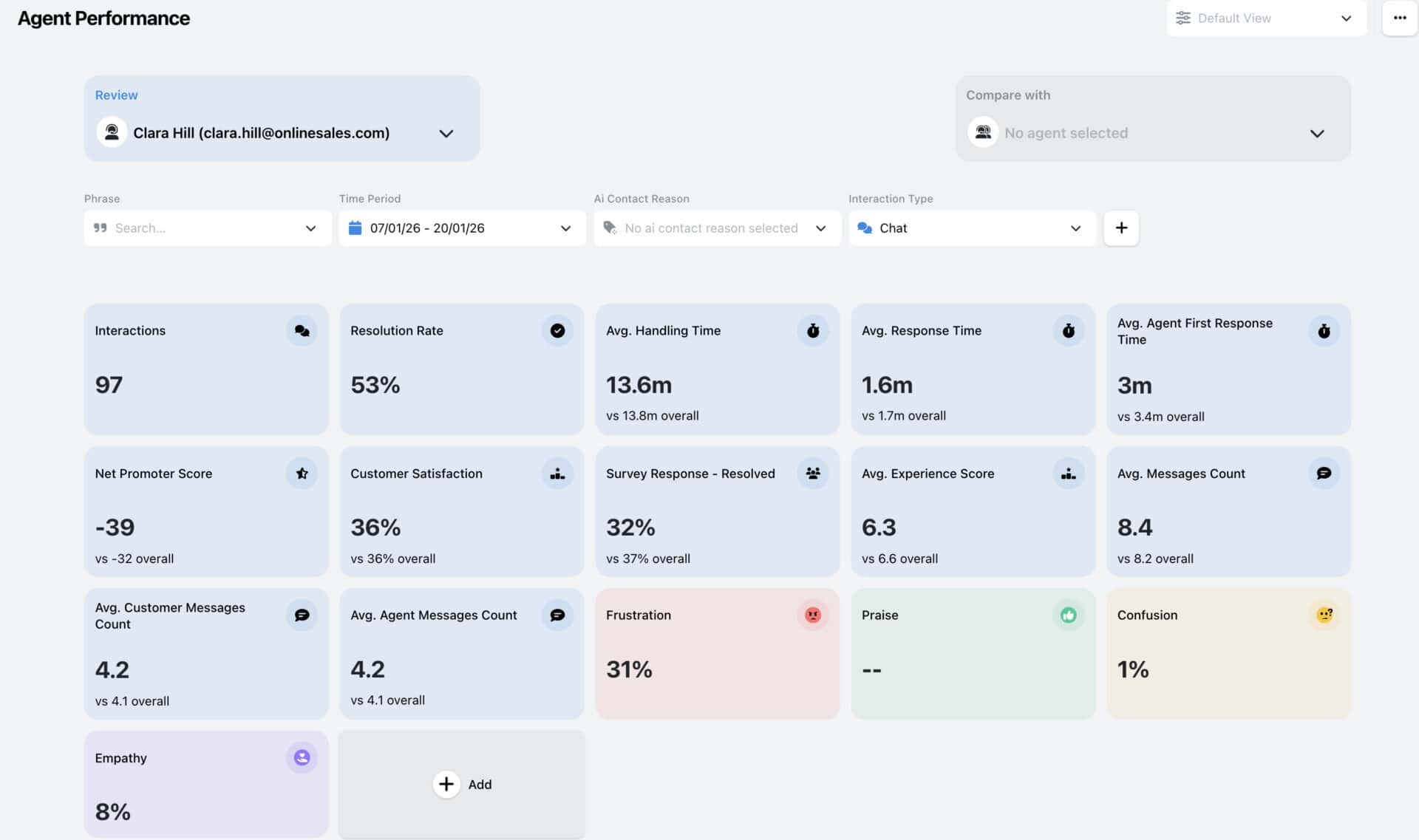
These updates are available to Coach users.
We’ll soon be releasing the ability to apply phrase tags to past interactions when creating and editing phrase tags. This will allow you to validate trigger changes against a larger historical sample (up to the last 30 days) instead of waiting for new interactions to arrive. Keep an eye out!
Up until now, any new phrase tags were only added to interactions that occurred after the tag was created or
Exporting a .CSV of your data from EdgeTier allows you to use that data in reporting and presentations, to share
As part of our existing Coach product, the reviews screen has allowed you to view all reviews completed on your


Robert Davies
Consultant
"You’ve got an issue, but you don’t know how many people are affected. You don’t know the scale. You don’t even know if it’s real."


Nick Brazitis
Global Customer Care Manager
"The anomaly feature is a game changer for us. It’s highly accurate and has helped us identify customer issues, agent errors, and even fraud that would have taken us longer to catch."


Giovane Nicolau Junior
Head of Operations Performance
"EdgeTier is really shining when it comes to responsible gambling. We can proactively track critical issues and take actions, reducing human error."



Let us help your company go from reactive to proactive customer support.
Unlock AI Insights